
AI marketing dashboard for agencies
Run your whole agency from one workspace
Research a client with AI, draft the campaigns, win approval in a branded client portal, launch after a final review, and read the results in live reports.
Already have a workspace? Sign in
- Plans from $99/month
- Branded client portals on Scale and Enterprise
- Google, Meta, LinkedIn and Microsoft ads reported in one place
- Eight apps. One workspace.
- Start with a client's website.
- One brief becomes five campaigns.
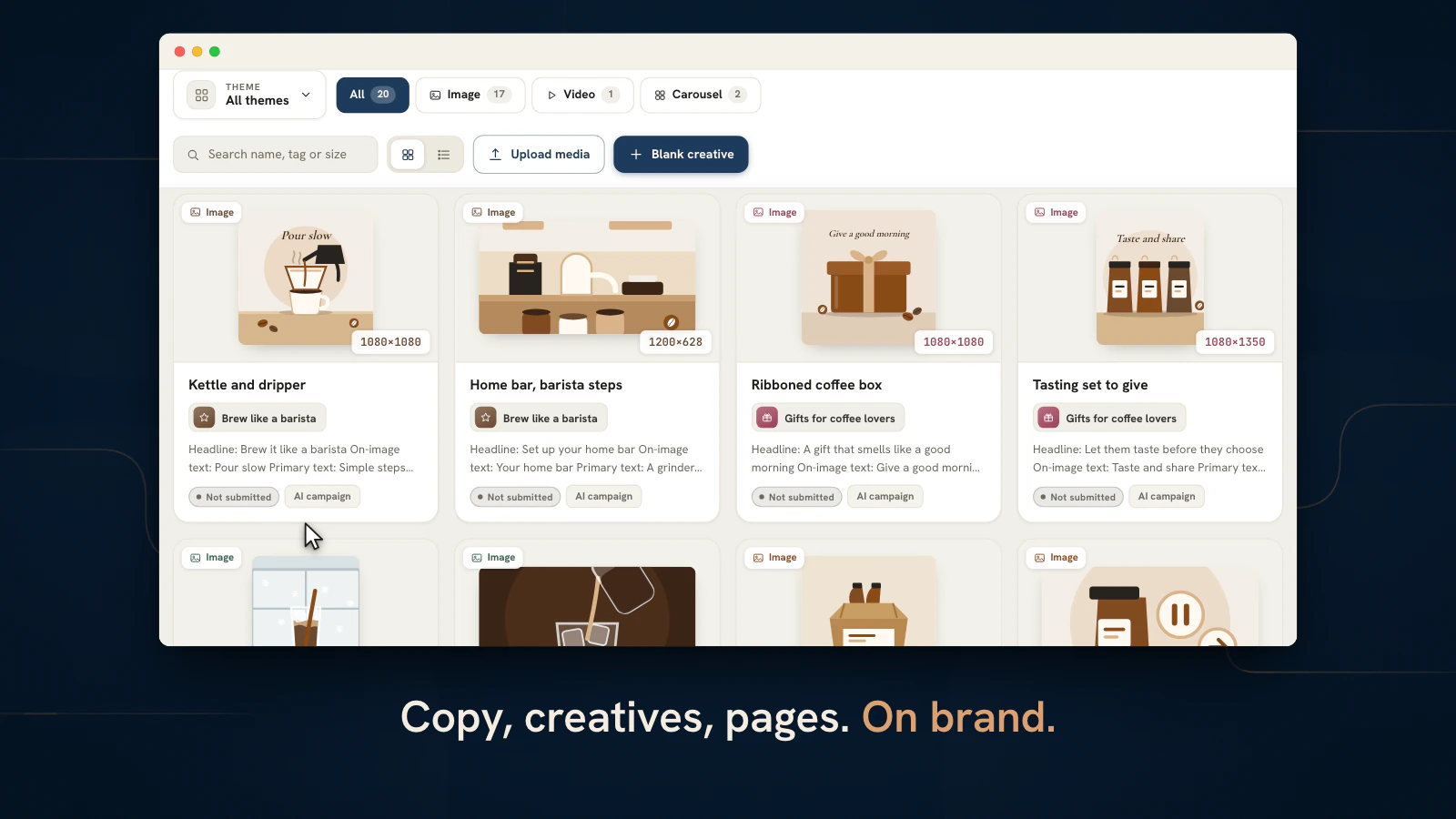
- Copy, creatives, pages. On brand.
- Clients approve in their own portal.
- Launch paused, ready for review.
- Live reports for every client.
Works with the tools your agency already runs
Ads
 Google Ads
 Meta Ads
 LinkedIn Ads
 Microsoft Advertising
Analytics & search
 Google Analytics
 Search Console
Team
 Slack
Slack Microsoft Teams
 Google Drive
 Dropbox
 OneDrive
 Google Calendar
 Outlook
Microsoft Teams, Outlook and OneDrive are trademarks of the Microsoft group of companies.
AI marketing dashboard for agencies
The AI marketing dashboard and agency operations platform for your whole studio
AI Marketing Dashboard puts every client, campaign and report an agency runs into one AI-assisted workspace, with a branded portal for each client on Scale and Enterprise. A growing agency usually runs on a dozen disconnected subscriptions: a project tracker here, a CRM there, a chat app, a file drive, a stack of campaign builders and a reporting tool that nobody updates. Here all of it is one console your whole team signs into. The home launcher is the front door, a searchable command center that puts the right tool, the right client and the next thing that needs you one click away.
The platform
Everything your agency runs on, in one calm console
The areas that usually live in separate subscriptions, sharing one login, one client roster and one source of truth.
Client onboarding
Add a client. Let research do the homework.
- Each finding marked first-party, third-party or AI inference
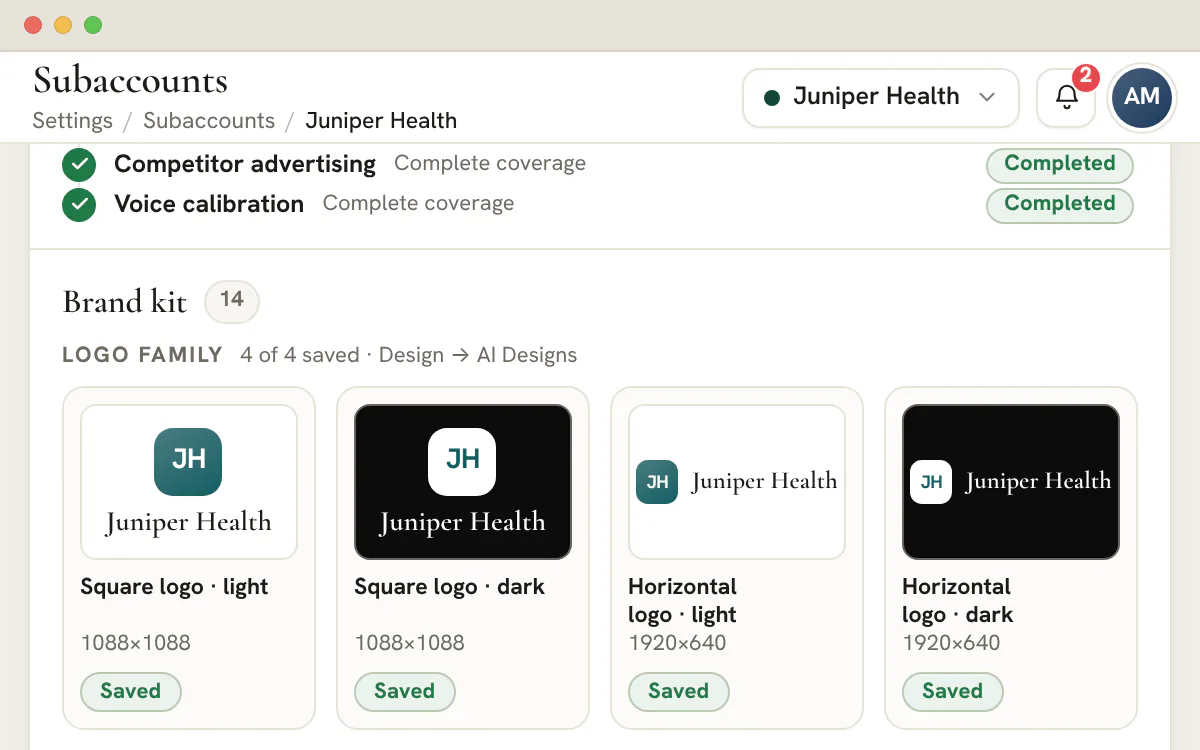
- Light and dark logo lockups, social sizes and a brand guidelines PDF
- Add services and the onboarding checklist builds itself
Marketing library
Draft on-brand work, then approve it in one place
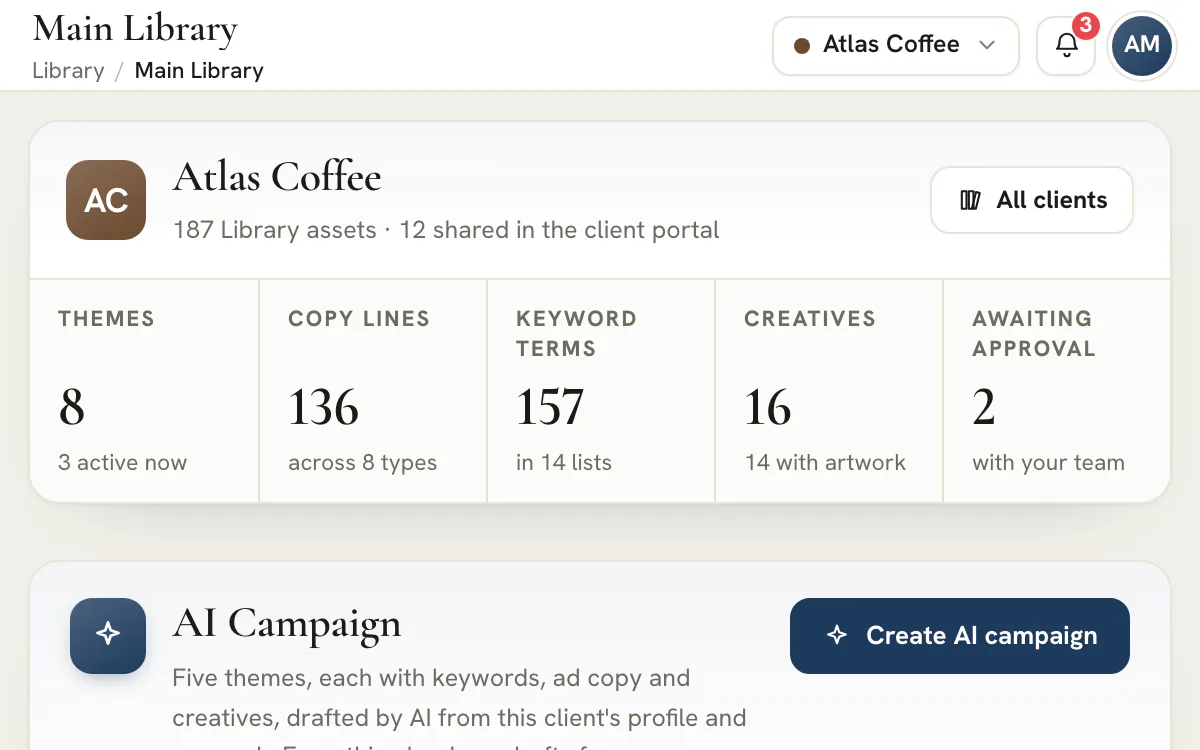
- AI Campaigns draft five themes with keywords, copy and creatives as unshared drafts
- Clients approve or request changes with pinned comments
- Keyword lists without invented volume numbers
Plan and launch
Turn approved assets into a launch you can review
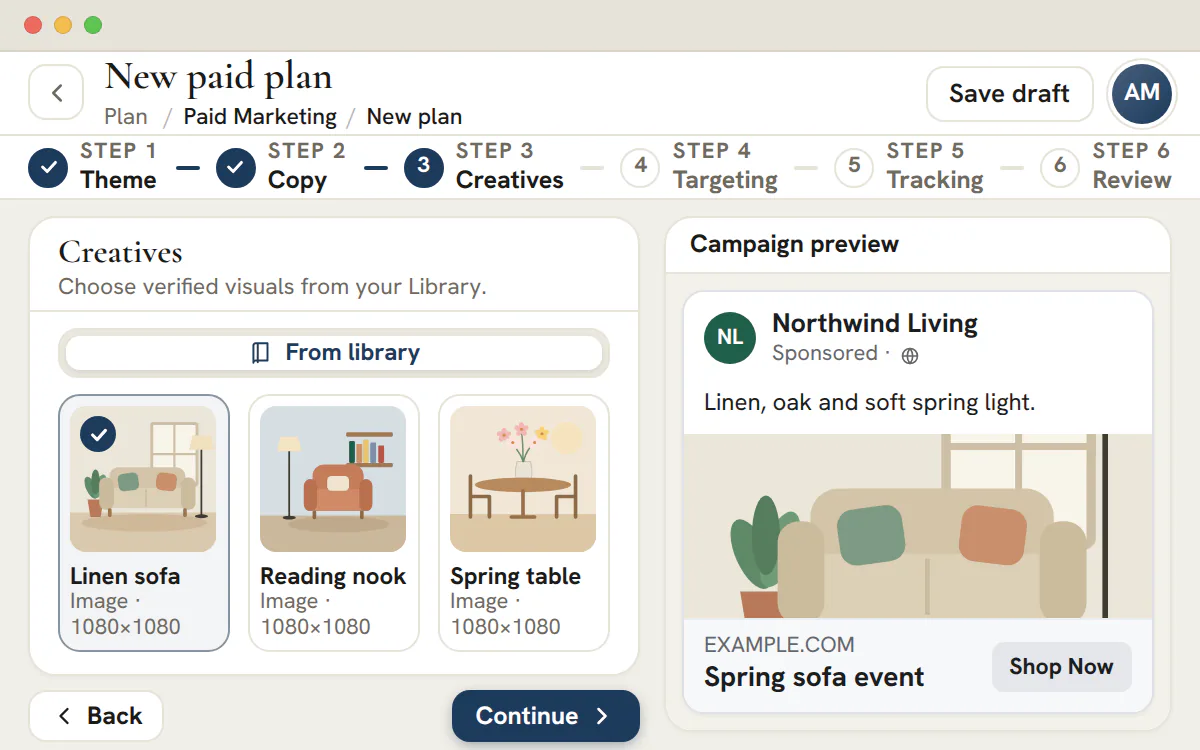
- Targeting, budget and tracking in one plan
- Approval is tied to the plan's content, so a late edit is flagged before launch
- Google Ads and Meta campaigns are created paused, ready for your final review
- Strategy Maps lay out the follow-up flow around it
Reporting
Every client's reporting, in your brand
- Google Ads down to campaigns, keywords and search terms
- Google Ads compares any range with the period before it
- Scoped to the client you picked, like everything else
Team tools
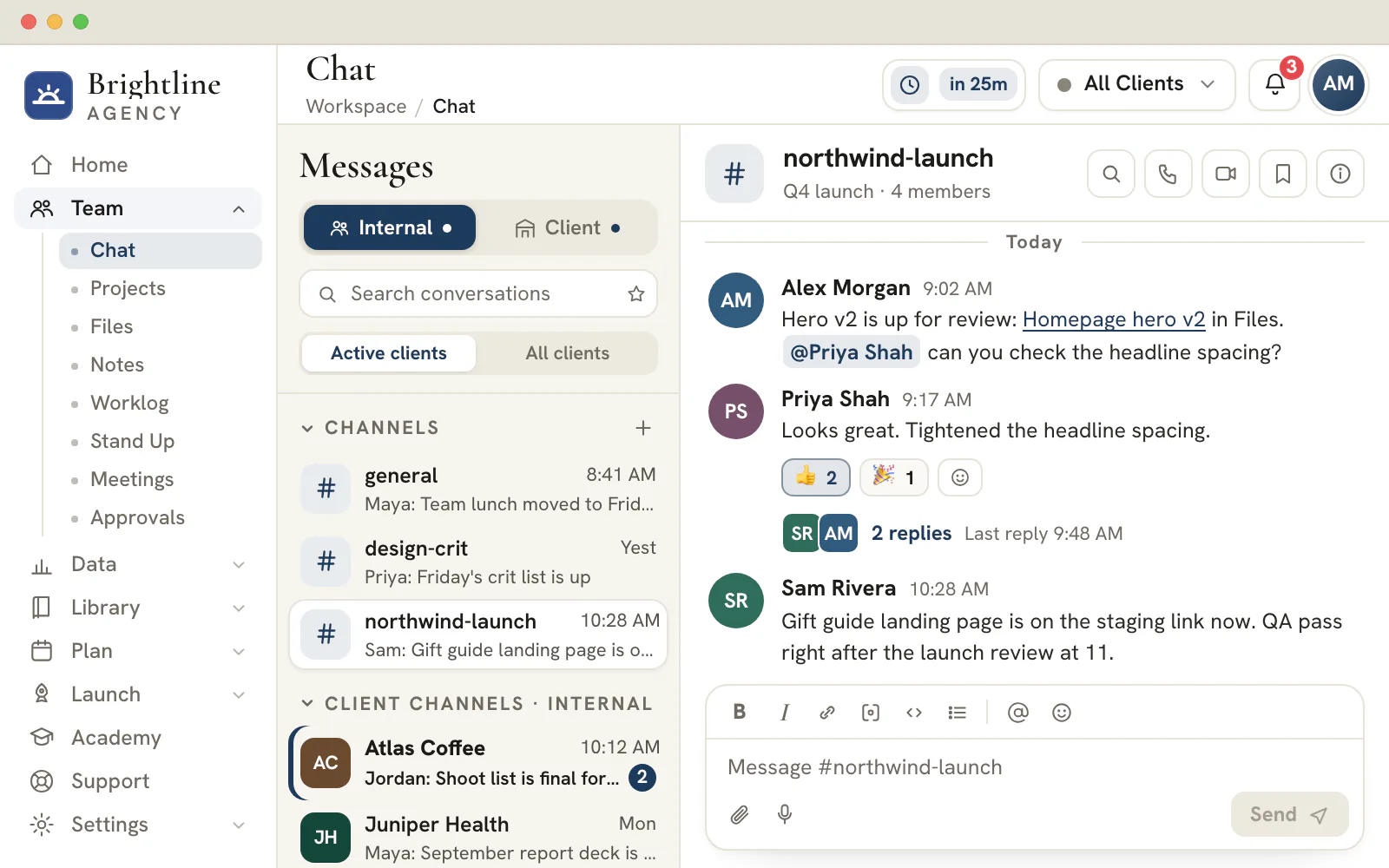
Chat, files and meetings beside the client's work
- Client channels with your Slack and Microsoft Teams conversations beside them
- Five project views over the same tasks, with subtasks and @mentions
- Meetings with built-in video and calendar sync, plus AI transcripts and recaps on Agency and up
Client sign-off
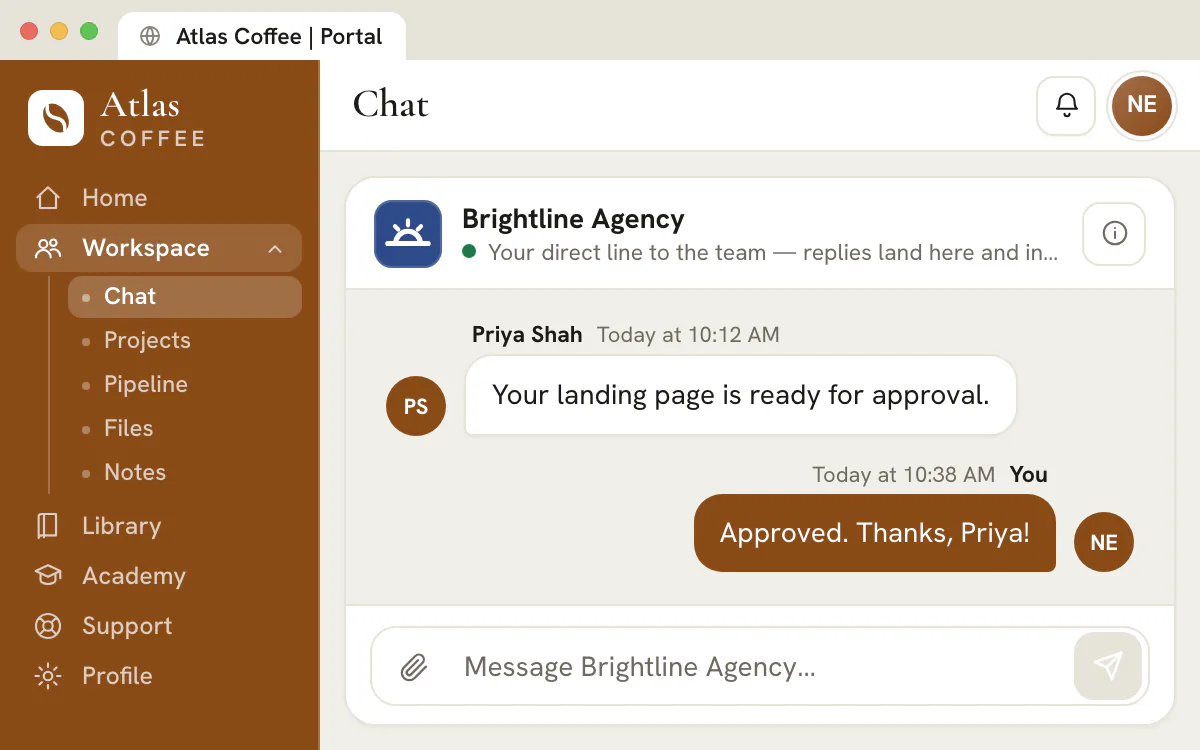
Approval without the email chain
- A pinned comment marks the exact spot that needs a change
- Every decision is recorded beside the work it covers
- Internal notes and unshared drafts never reach the client
Start to finish
Follow one client from research to recap
Client research, an AI campaign, a landing page in the client's brand, client sign-off, Google Ads reporting and a meeting that becomes tasks, each with the page of the tool that does it.
Read the transcript
0:02 Start research from the client's Profile. An Agency Admin opens the Research tab. It starts from the company name and website already on the Profile.
0:10 Research runs in the background. Researchers read the public pages while you do other work, and the tab updates itself as stages finish.
0:17 Each finding says where it came from and how sure it is. Each fact is labelled First-party source, Third-party source or AI inference, with a confidence level beside it.
0:23 A brand kit built from the logo found on the site. Light and dark logos, a profile picture sized for each platform, and social covers, all filed for you.
0:32 Brand documents and the colours the site uses. The kit adds a guidelines PDF and a design file, beside the colours and fonts the researchers observed on the site.
0:37 Guidelines and design files land in Files. Open in Files jumps to Design, Brand Guidelines. The PDF is an AI-assisted draft to review, owned by Company research.
An Agency Admin starts research from the client's profile. The researchers label every finding by where it came from, then file a brand kit and a guidelines PDF in the client's Files.
Read the transcript
0:02 Start on the client's Main Library. The AI Campaign card sits under the client's Library numbers. It drafts from the client's profile and research.
0:08 Brief it in one line. Describe the campaign in a sentence and choose what to draft. The estimate counts every theme, list, line and creative.
0:15 Five themes draft in the background. A background job drafts the themes, then each theme's keywords, copy and creatives. You can leave the page meanwhile.
0:23 The Library fills with drafts. Themes, keyword lists, copy lines and creatives land in the client's Library, unshared, and its totals update.
0:27 Creatives arrive with artwork. Each creative lands designed in the client's brand, its words on the image, sized for its placement.
0:34 Review before the client sees anything. Every draft starts unshared. Submit what is ready from its tool; sharing with the client waits for approval.
One short brief drafts five themes, each with keyword lists, ad copy and creatives in the client's brand. It runs in the background, usually 5 to 15 minutes, and every draft lands unshared for your team to review.
Read the transcript
0:02 Open Ask AI from New page. Site is part of Agency and up. New page, then Ask AI, starts a draft from a short description.
0:07 Describe the page in one line. Say what the page is for and add one line. Ask AI lists which parts of the client's background it will use.
0:12 The client's brand look is loaded. Colors, fonts, button corners and the logo come from the client's brand settings, files and research.
0:19 Every section drafted, then pictures drawn. Generate page drafts every section. The pictures are drawn afterwards. Check every claim before you publish.
0:28 Create it, then finish in the builder. Create page saves a draft and opens the builder, where the team edits any section.
0:37 Publish it to a public link. Publishing is part of Agency and up and gives the page a public link. A custom domain needs Scale and up.
Describe the page in one line. Site Ask AI drafts every section from the client's profile and research and dresses it in the brand's colors, fonts and logo, then you finish it in the builder and publish.
Read the transcript
0:02 Approve inside your team, then ask the client. Alex Morgan has already approved the Spring Blend page. Request client review sends it to Atlas Coffee with a short note.
0:10 The client opens it in their own portal. Riley Brooks, the Client Admin, gets the request in the Atlas Coffee portal, in Atlas colors, and opens the page.
0:17 Pin a comment on the exact spot. Riley pins a note to the picture and sends it. Any member of the client's team can comment or request changes.
0:26 A Client Admin approves. Only a Client Admin can approve. Everyone else on the client's team can ask for changes instead.
0:31 The decision lands in Approvals. Later that day the page sits under Decided with a Client approved badge, and Riley's pinned comment is on the review.
0:35 You still decide when it goes live. Client approval is a record. The page stays a draft until your team publishes it from Library Site.
Your team approves first, then one request sends the page to the client, who pins comments on the exact spot and approves in their own portal. The decision lands back in your approvals inbox.
Read the transcript
0:02 Connect the client's advertiser account. Google Ads connects per client. Set up opens the report; after Google sign-in you pick the advertiser account.
0:09 Choose the dates, then sync them. You choose the dates to fetch, up to 90 days. Press Sync these dates and the page shows how far the import has got.
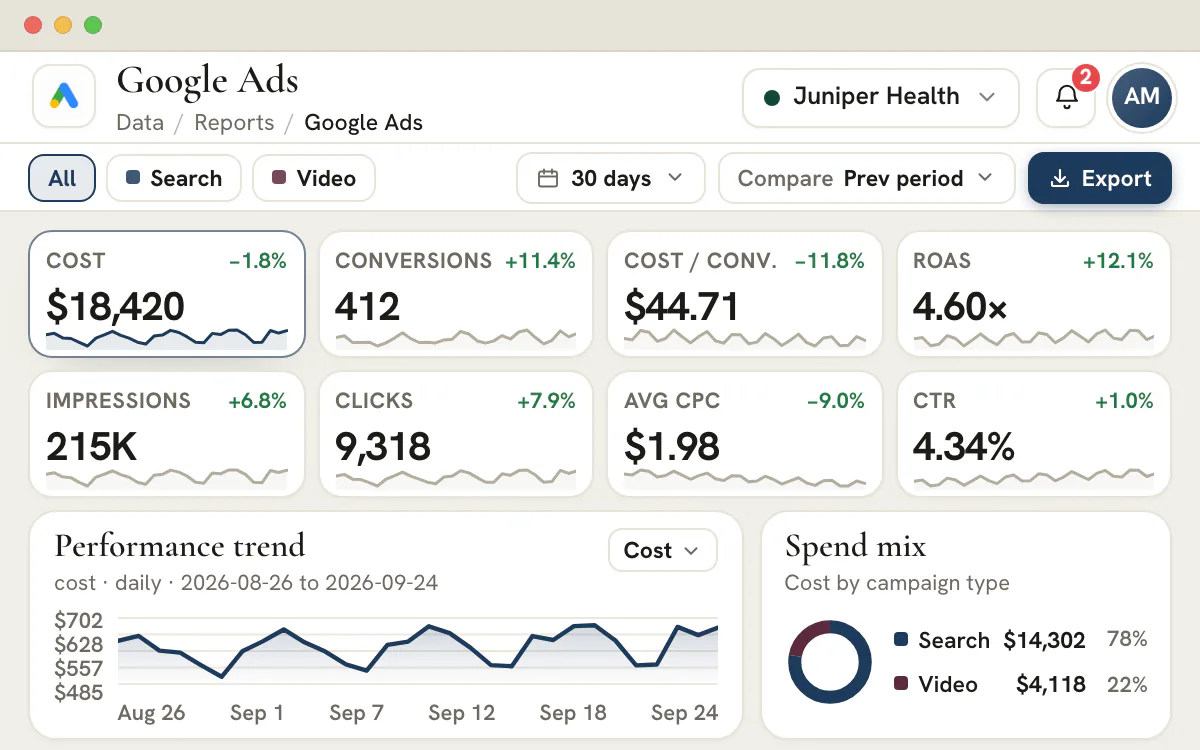
0:17 The report fills in. Eight KPIs, a daily trend and a spend mix appear for the dates you synced. The bar above names exactly which days exist.
0:24 Compare with the period before. Every KPI shows its change against the previous period. Dates you already synced open without a new sync.
0:28 From campaigns down to search terms. Tabs run from campaigns to keywords and search terms. Search terms carry Google's own privacy limits.
0:33 Every client is one switch away. The client switcher opens that client's own report: its advertiser account, its synced dates and its figures.
Connect a client's advertiser account, sync the dates you choose and read campaigns, keywords and search terms against the period before. Every other client's report is one switch away.
Read the transcript
0:02 Join the meeting in the built-in video room. Open the meeting's hub and choose Join video call. The room opens inside the console, with no link to paste.
0:07 Record and transcribe, with everyone's consent. On Agency and up, Record & transcribe asks you to confirm everyone has consented. A Recording badge shows until you stop.
0:15 A speaker-labelled transcript, then an AI recap. After the meeting, the AI transcript lists every line with a time and a speaker. The recap follows minutes later.
0:24 Suggested action items go straight to the hub. Add all copies the recap's action items into the Action Items tab, with an owner when the recap names a teammate.
0:31 Send the open items to Projects as tasks. Each item becomes a task in the meeting's own Action Items project, with its owner and a due date a week out.
0:38 Each task links back to the meeting. Open a task to see its owner, its due date and a link back to the meeting that created it.
Record a meeting in the built-in video room, then read a speaker-labelled transcript and an AI recap. Add all gathers the action items, and Send open items to Projects turns them into tasks with owners and due dates.
See it with your own clients.
Create your agency workspaceIntegrations
Connected to the tools your agency already runs
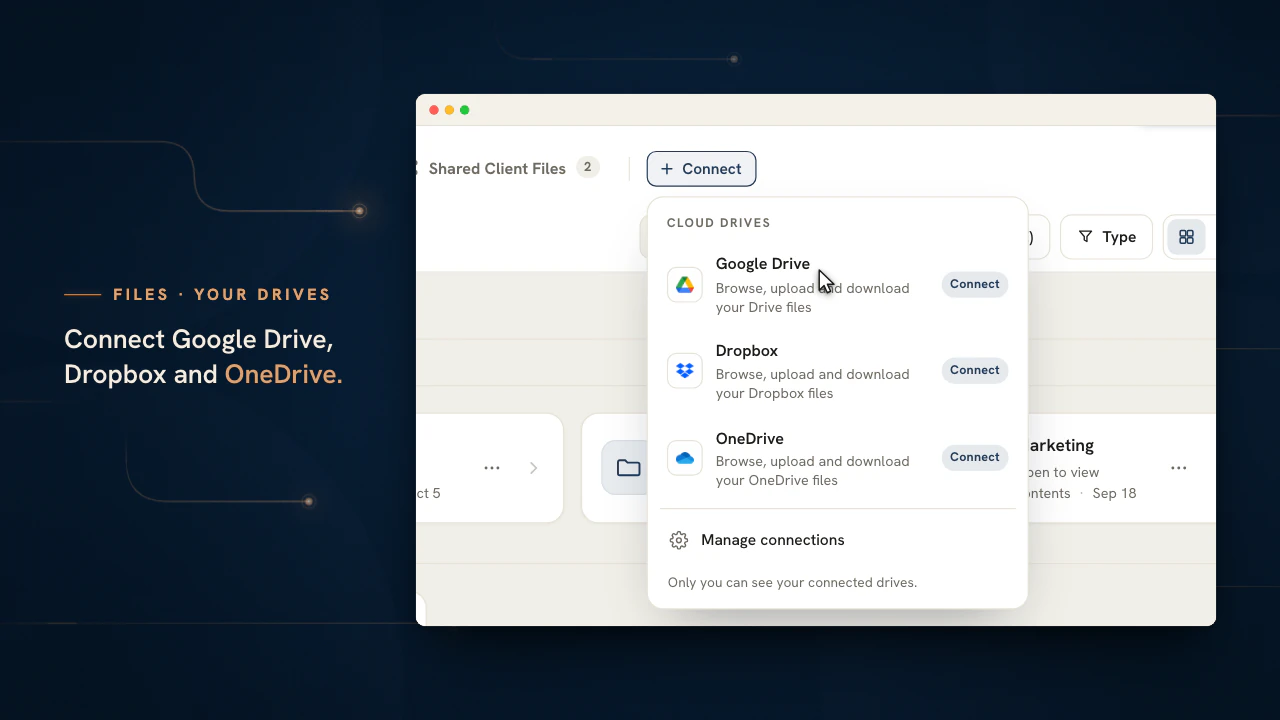
From the Connect tab each teammate links their calendars, Slack, Microsoft Teams, Google Drive, Dropbox and OneDrive. An Agency Admin links each client's ad, analytics and search accounts, and that client's reports fill from them.
Ads, analytics and search
Google Ads
Spend, clicks and conversions down to campaigns, keywords and search terms.
Meta Ads
Ad sets, placements and audiences in the client's report, campaigns built paused.
LinkedIn Ads
Campaign groups, ads and the audience they reached.
Microsoft Advertising
Campaigns, keywords and search terms, with device and network splits.
Google Analytics
Traffic, engagement and key events beside the ad spend.
Search Console
Clicks, impressions and position by query and page.
Chat
Slack
Read and answer your own channels and direct messages beside the client conversations.
Microsoft Teams
Open your own chats and channels in the same place as the client threads.
Files
Google Drive
Browse, preview, upload and download your Drive files in Files, beside the client drives.
Dropbox
Open your own Dropbox folders in Files, shown from Dropbox and never copied.
OneDrive
Bring a OneDrive library into Files without moving a single file.
Calendars
Google Calendar
See your events in Meetings and add a meeting to your calendar with a Meet link.
Outlook
Sync Outlook events and invite guests to a meeting with a Microsoft Teams link.
Microsoft Teams, Outlook and OneDrive are trademarks of the Microsoft group of companies.
Owners, teams and clients
Built for everyone who touches the work
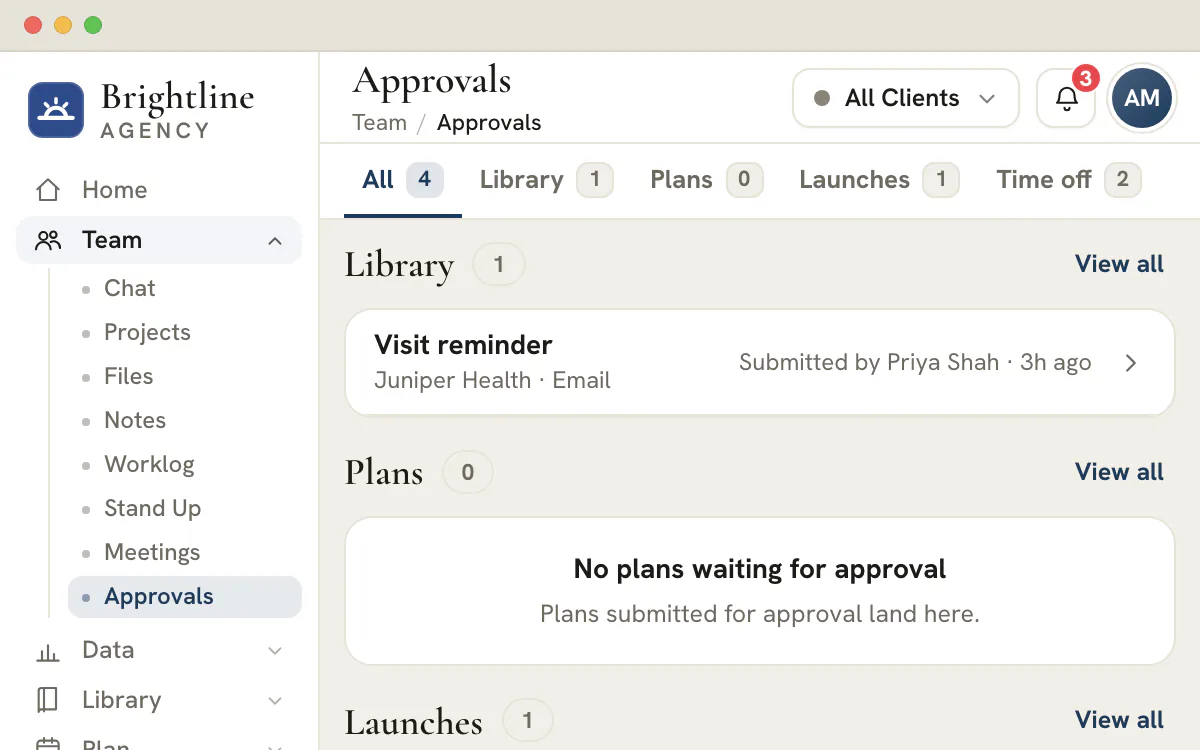
Owners see every client, team members see the clients they are assigned to, and clients see only what you choose to share.
For the owner
See every client without asking for a status
- One switcher for a single client or the whole book
- Roles that decide who sees which client and who approves
- Your logo, colours and fonts across the console
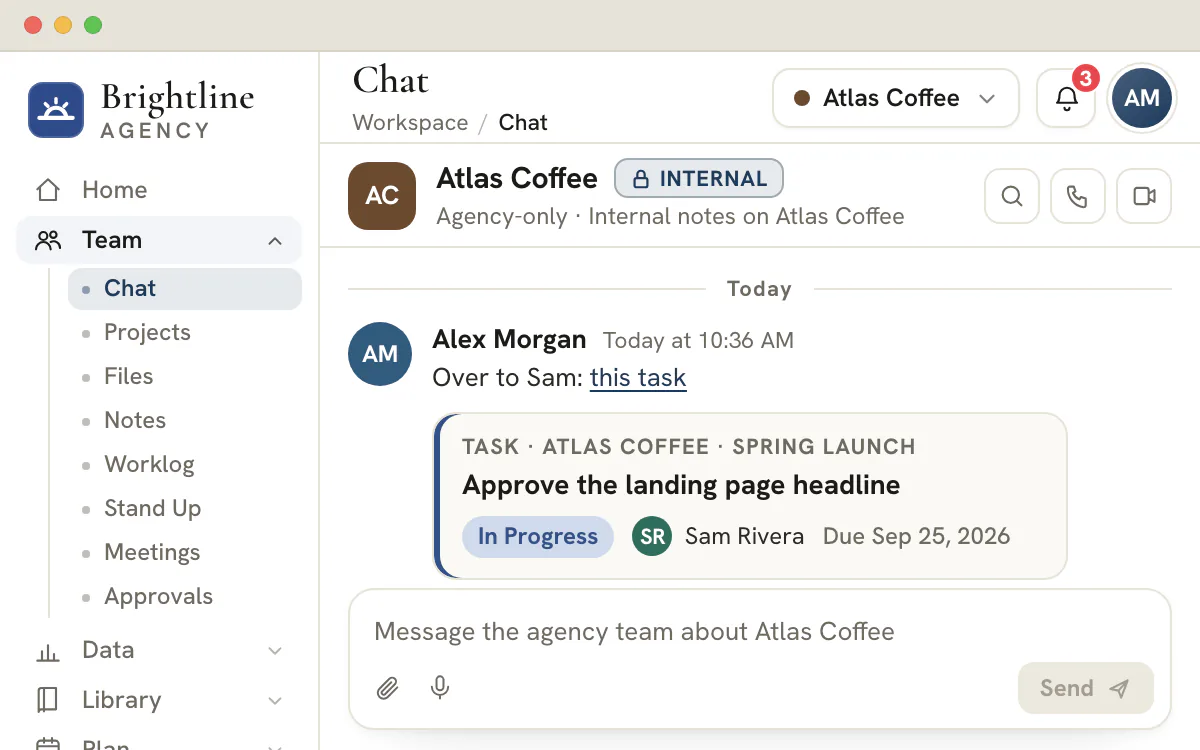
For the team
Hand work over with an owner, a date and a link
- Checklists and subtasks on every task, with @mentions in comments
- A link to the exact task or file, ready to paste into a message
- Time entries tied to the task and the client they were logged for
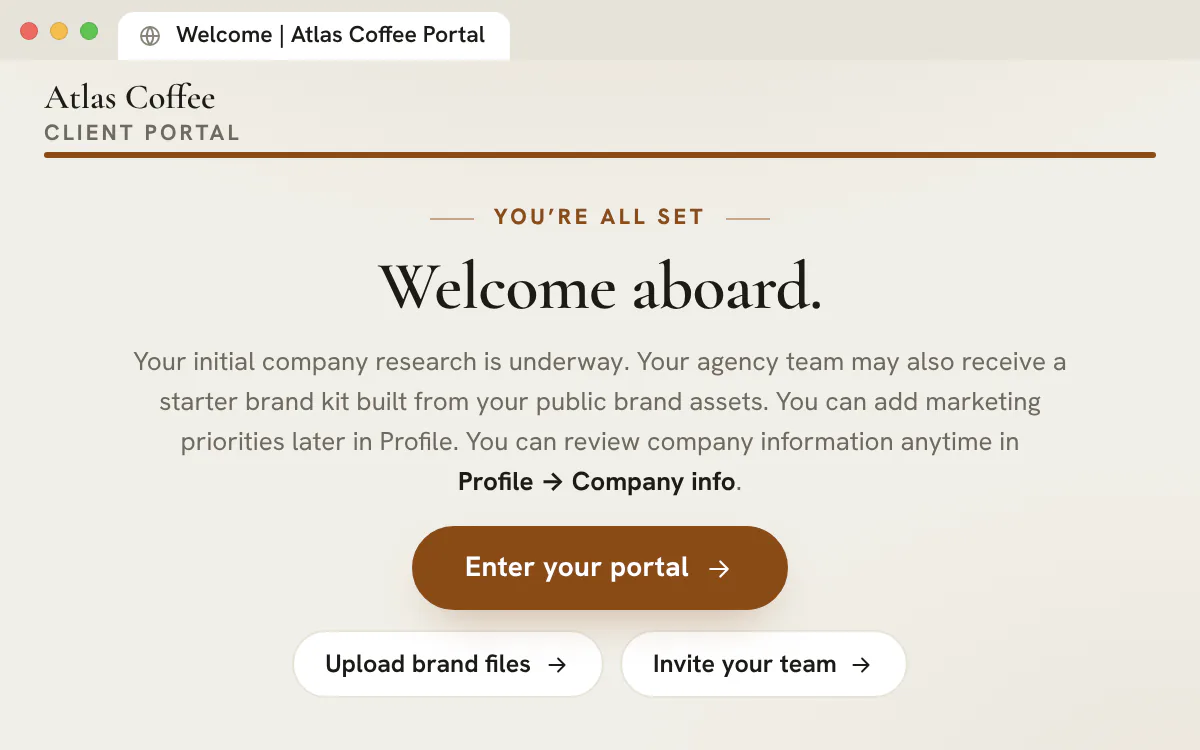
For your clients
One place for clients to look, approve and reply
- Comments that stay attached to the task or asset they are about
- Nothing appears until you share it, and a hidden section disappears entirely
- Training lessons and a support desk behind the same sign-in
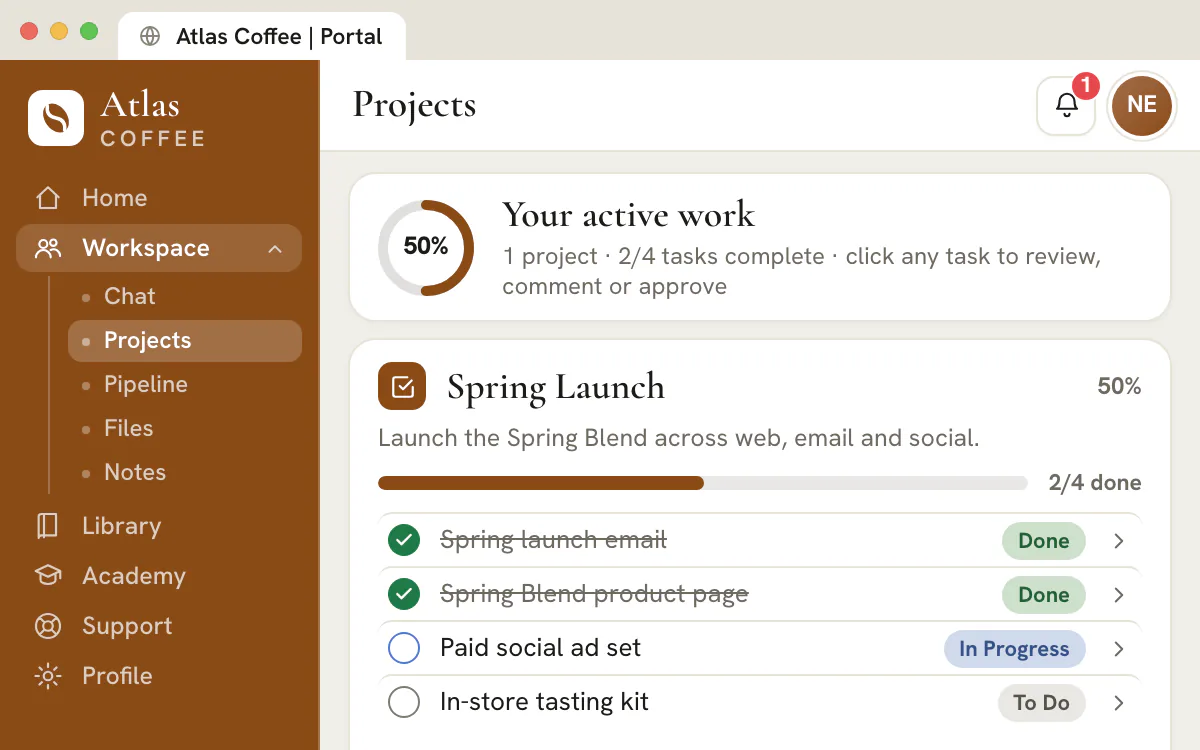
The client portal
Every client gets a portal that wears their brand
- Approve tasks and Library assets, or request changes with pinned comments
- A shared channel, plus a private line to each person on their account
- Invoices with Pay now for the client's admin, contracts to sign and a checklist that tracks itself
- Up to 20 people per client, none of them using your seats
- Home
- Chat
- Projects
- Pipeline
- Files
- Notes
- Library
- Academy
- Support
- Profile
AI with a human in the loop
Hand the busywork to AI. Keep the judgement.
AI drafts land as drafts. Your team edits them, your approval flow gates them, and nothing reaches a client until you say so.
Library
Ask AI, grounded in the client
Themes, keywords, copy and ad creatives drafted from each client's Profile, website, research and brand guide, for your team to edit.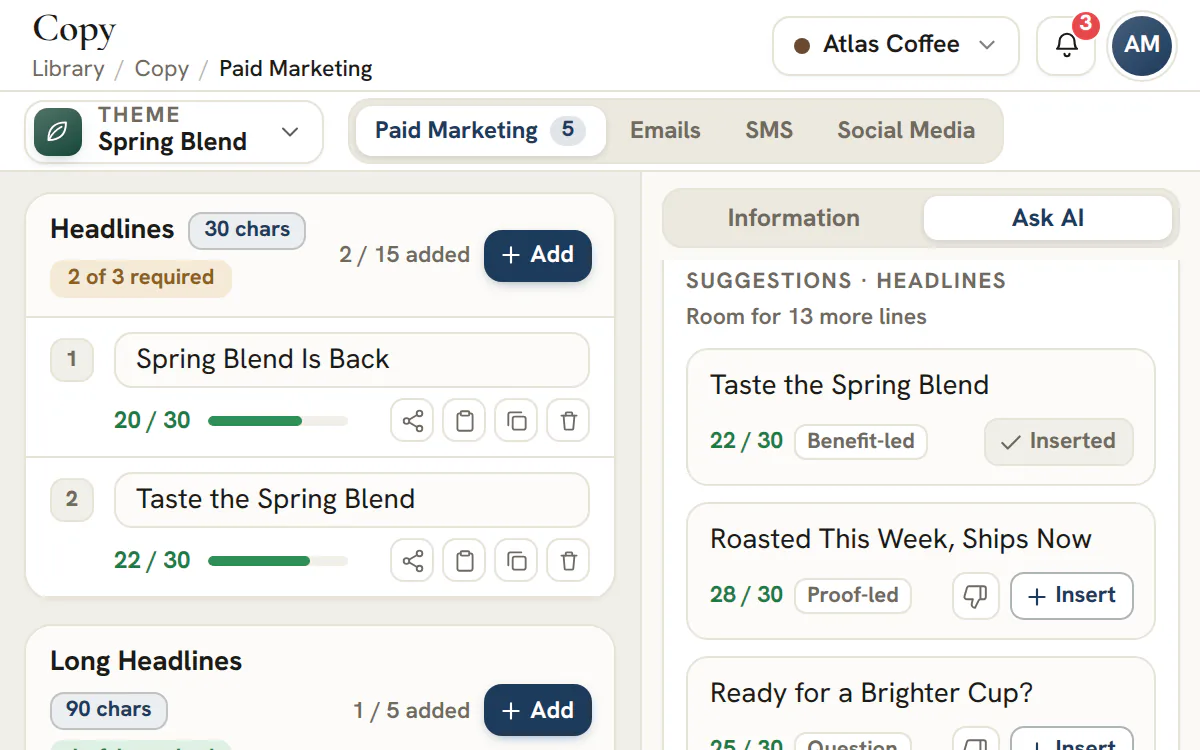
Campaigns
One-click AI Campaigns
Five themes with keywords, copy and creatives, drafted together and left unshared until your team reviews them.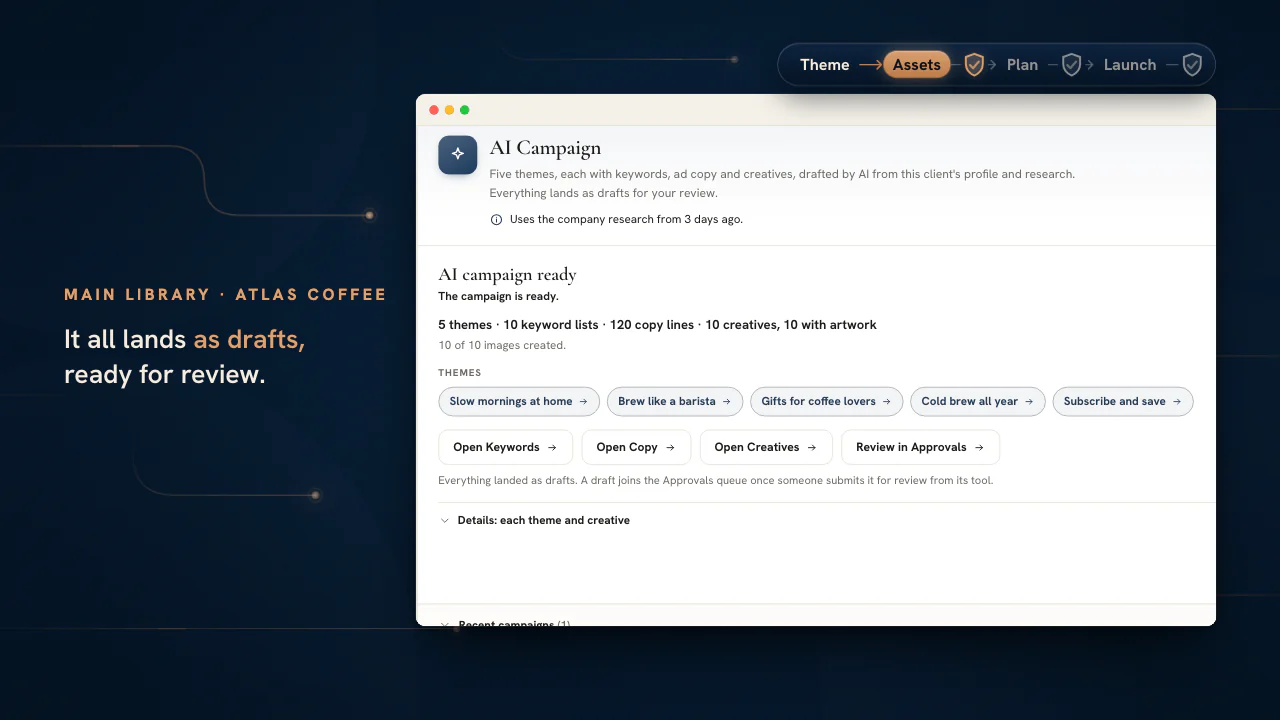
Meetings
Transcripts and recaps
Record a call in the built-in video room and get a speaker-labelled transcript, a recap and suggested action items.Agency and up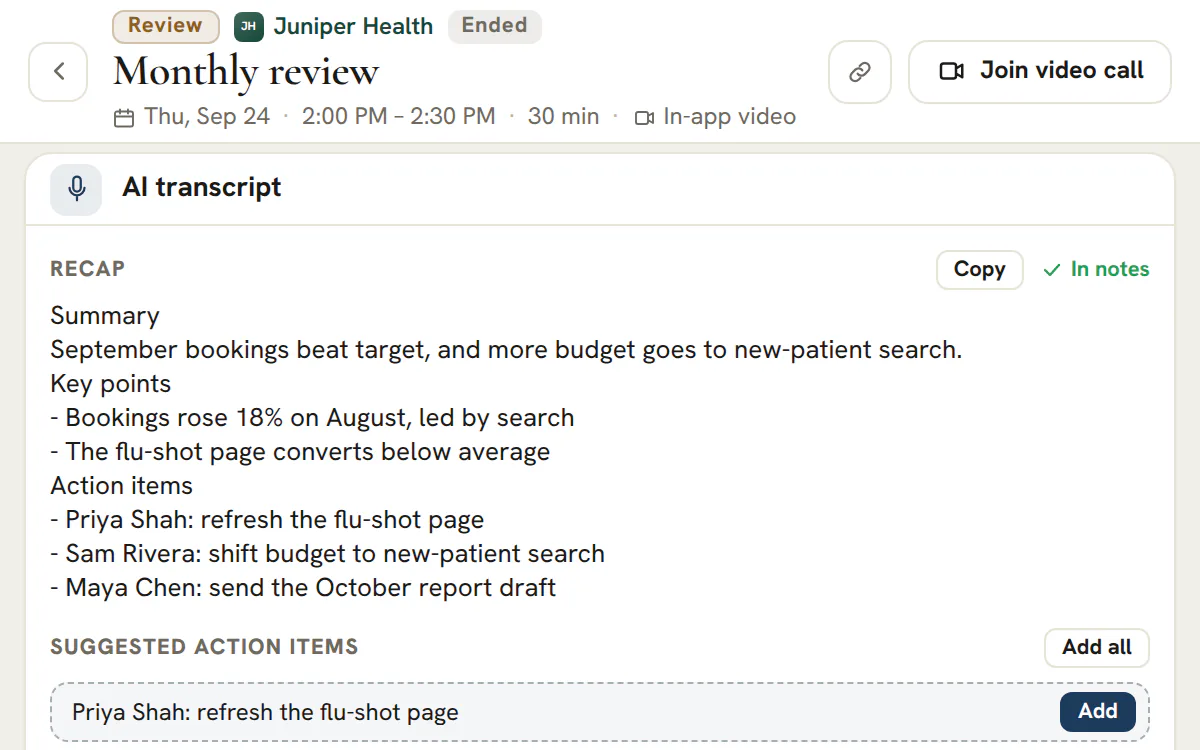
Landing pages
A first draft in the client's brand
Site Ask AI drafts a whole landing page with on-brand pictures, saved as an unshared draft you finish in the builder.Agency and upCreatives and emails
Artwork and emails in the client's look
Ask AI designs ad creatives and drafts branded emails from the client's logo, colours and fonts, saved as unshared drafts you can redraw or edit.Email builder on Agency and upResearch
Research that shows its sources
Each finding is marked first-party, third-party or AI inference, and every source the researchers read is listed for review.Blogs
Assist for long-form
Titles, outlines, sections and meta descriptions, drafted beside a guide rail that measures the draft.Approvals
A review step before anything reaches a client
Library assets need an approval or an explicit skip from your team before they can be shared, then your team can ask the client to approve them in their portal.Client review on Scale and Enterprise
Does it pay for itself?
Three ways it pays for itself
Choose the numbers closest to your agency. Every figure below is arithmetic on your answers, our list prices and the published prices of the tools a plan covers.
Studio plan, $99 a month
3 seats and 3 client accounts
Agency plan, $299 a month
10 seats and 15 client accounts
Agency plan, $299 a month
10 seats and 15 client accounts
Scale plan, $699 a month
25 seats and 50 client accounts
Time back
What the hours your team gets back are worth, at your own hourly cost.
1 hour a week back for 3 people at $35 is about $455 a month, 4.6x the plan.
2 hours a week back for 3 people at $35 is about $910 a month, 9.2x the plan.
3 hours a week back for 3 people at $35 is about $1,365 a month, 14x the plan.
5 hours a week back for 3 people at $35 is about $2,275 a month, 23x the plan.
The plan pays for itself after 2.8 hours of team time a month, about 13 minutes per person a week.
1 hour a week back for 3 people at $50 is about $650 a month, 6.6x the plan.
2 hours a week back for 3 people at $50 is about $1,300 a month, 13x the plan.
3 hours a week back for 3 people at $50 is about $1,950 a month, 20x the plan.
5 hours a week back for 3 people at $50 is about $3,250 a month, 33x the plan.
The plan pays for itself after 2.0 hours of team time a month, about 9 minutes per person a week.
1 hour a week back for 3 people at $75 is about $975 a month, 9.8x the plan.
2 hours a week back for 3 people at $75 is about $1,950 a month, 20x the plan.
3 hours a week back for 3 people at $75 is about $2,925 a month, 30x the plan.
5 hours a week back for 3 people at $75 is about $4,875 a month, 49x the plan.
The plan pays for itself after 1.3 hours of team time a month, about 6 minutes per person a week.
1 hour a week back for 3 people at $100 is about $1,300 a month, 13x the plan.
2 hours a week back for 3 people at $100 is about $2,600 a month, 26x the plan.
3 hours a week back for 3 people at $100 is about $3,900 a month, 39x the plan.
5 hours a week back for 3 people at $100 is about $6,500 a month, 66x the plan.
The plan pays for itself after 1.0 hours of team time a month, about 5 minutes per person a week.
1 hour a week back for 5 people at $35 is about $758 a month, 2.5x the plan.
2 hours a week back for 5 people at $35 is about $1,517 a month, 5.1x the plan.
3 hours a week back for 5 people at $35 is about $2,275 a month, 7.6x the plan.
5 hours a week back for 5 people at $35 is about $3,792 a month, 13x the plan.
The plan pays for itself after 8.5 hours of team time a month, about 24 minutes per person a week.
1 hour a week back for 5 people at $50 is about $1,083 a month, 3.6x the plan.
2 hours a week back for 5 people at $50 is about $2,167 a month, 7.2x the plan.
3 hours a week back for 5 people at $50 is about $3,250 a month, 11x the plan.
5 hours a week back for 5 people at $50 is about $5,417 a month, 18x the plan.
The plan pays for itself after 6.0 hours of team time a month, about 17 minutes per person a week.
1 hour a week back for 5 people at $75 is about $1,625 a month, 5.4x the plan.
2 hours a week back for 5 people at $75 is about $3,250 a month, 11x the plan.
3 hours a week back for 5 people at $75 is about $4,875 a month, 16x the plan.
5 hours a week back for 5 people at $75 is about $8,125 a month, 27x the plan.
The plan pays for itself after 4.0 hours of team time a month, about 11 minutes per person a week.
1 hour a week back for 5 people at $100 is about $2,167 a month, 7.2x the plan.
2 hours a week back for 5 people at $100 is about $4,333 a month, 14x the plan.
3 hours a week back for 5 people at $100 is about $6,500 a month, 22x the plan.
5 hours a week back for 5 people at $100 is about $10,833 a month, 36x the plan.
The plan pays for itself after 3.0 hours of team time a month, about 8 minutes per person a week.
1 hour a week back for 10 people at $35 is about $1,517 a month, 5.1x the plan.
2 hours a week back for 10 people at $35 is about $3,033 a month, 10x the plan.
3 hours a week back for 10 people at $35 is about $4,550 a month, 15x the plan.
5 hours a week back for 10 people at $35 is about $7,583 a month, 25x the plan.
The plan pays for itself after 8.5 hours of team time a month, about 12 minutes per person a week.
1 hour a week back for 10 people at $50 is about $2,167 a month, 7.2x the plan.
2 hours a week back for 10 people at $50 is about $4,333 a month, 14x the plan.
3 hours a week back for 10 people at $50 is about $6,500 a month, 22x the plan.
5 hours a week back for 10 people at $50 is about $10,833 a month, 36x the plan.
The plan pays for itself after 6.0 hours of team time a month, about 8 minutes per person a week.
1 hour a week back for 10 people at $75 is about $3,250 a month, 11x the plan.
2 hours a week back for 10 people at $75 is about $6,500 a month, 22x the plan.
3 hours a week back for 10 people at $75 is about $9,750 a month, 33x the plan.
5 hours a week back for 10 people at $75 is about $16,250 a month, 54x the plan.
The plan pays for itself after 4.0 hours of team time a month, about 6 minutes per person a week.
1 hour a week back for 10 people at $100 is about $4,333 a month, 14x the plan.
2 hours a week back for 10 people at $100 is about $8,667 a month, 29x the plan.
3 hours a week back for 10 people at $100 is about $13,000 a month, 43x the plan.
5 hours a week back for 10 people at $100 is about $21,667 a month, 72x the plan.
The plan pays for itself after 3.0 hours of team time a month, about 4 minutes per person a week.
1 hour a week back for 25 people at $35 is about $3,792 a month, 5.4x the plan.
2 hours a week back for 25 people at $35 is about $7,583 a month, 11x the plan.
3 hours a week back for 25 people at $35 is about $11,375 a month, 16x the plan.
5 hours a week back for 25 people at $35 is about $18,958 a month, 27x the plan.
The plan pays for itself after 20.0 hours of team time a month, about 11 minutes per person a week.
1 hour a week back for 25 people at $50 is about $5,417 a month, 7.7x the plan.
2 hours a week back for 25 people at $50 is about $10,833 a month, 15x the plan.
3 hours a week back for 25 people at $50 is about $16,250 a month, 23x the plan.
5 hours a week back for 25 people at $50 is about $27,083 a month, 39x the plan.
The plan pays for itself after 14.0 hours of team time a month, about 8 minutes per person a week.
1 hour a week back for 25 people at $75 is about $8,125 a month, 12x the plan.
2 hours a week back for 25 people at $75 is about $16,250 a month, 23x the plan.
3 hours a week back for 25 people at $75 is about $24,375 a month, 35x the plan.
5 hours a week back for 25 people at $75 is about $40,625 a month, 58x the plan.
The plan pays for itself after 9.3 hours of team time a month, about 5 minutes per person a week.
1 hour a week back for 25 people at $100 is about $10,833 a month, 15x the plan.
2 hours a week back for 25 people at $100 is about $21,667 a month, 31x the plan.
3 hours a week back for 25 people at $100 is about $32,500 a month, 46x the plan.
5 hours a week back for 25 people at $100 is about $54,167 a month, 77x the plan.
The plan pays for itself after 7.0 hours of team time a month, about 4 minutes per person a week.
Tools you can retire
The separate subscriptions this plan covers, at the prices their publishers list.
Per-person tools are priced at one seat for each person you chose above. The rest are priced for the agency as a whole, in the quantity the receipt lists.
At published list prices, the 10 separate tools this plan covers come to about $258 a month for 3 people, about $86 per person, 2.6x the plan.
That is $99 for the 5 per-person tools and $159 for the 5 agency-wide tools.
At published list prices, the 14 separate tools this plan covers come to about $563 a month for 5 people, about $113 per person, 1.9x the plan.
That is $165 for the 5 per-person tools and $398 for the 9 agency-wide tools.
At published list prices, the 14 separate tools this plan covers come to about $728 a month for 10 people, about $73 per person, 2.4x the plan.
That is $330 for the 5 per-person tools and $398 for the 9 agency-wide tools.
At published list prices, the 17 separate tools this plan covers come to about $1,331 a month for 25 people, about $53 per person, 1.9x the plan.
That is $825 for the 5 per-person tools and $506 for the 12 agency-wide tools.
See the tools and their prices
Per person$99
- Project trackerReplaced by Projects & tasks$303 seats × $10
- Team chatReplaced by Team chat$243 seats × $8
- Docs and wikiReplaced by Notes$183 seats × $6
- TimesheetsReplaced by Worklog$183 seats × $6
- Stand-up check-insReplaced by Stand Up$93 seats × $3
For the agency$159
- Sales CRMReplaced by CRM pipelines$402 seats × $20
- AI writing assistantReplaced by Ask AI$502 seats × $25
- E-signaturesReplaced by Document signing$151 sender × $15
- InvoicingReplaced by Invoices & payments$251 user × $25
- Online formsReplaced by Forms$291 account × $29
Total a month$258
Lowest monthly list prices for each kind of tool, checked on October 12, 2026.
Tools that need a larger plan are not counted.
Per person$165
- Project trackerReplaced by Projects & tasks$505 seats × $10
- Team chatReplaced by Team chat$405 seats × $8
- Docs and wikiReplaced by Notes$305 seats × $6
- TimesheetsReplaced by Worklog$305 seats × $6
- Stand-up check-insReplaced by Stand Up$155 seats × $3
For the agency$398
- Sales CRMReplaced by CRM pipelines$402 seats × $20
- AI writing assistantReplaced by Ask AI$502 seats × $25
- E-signaturesReplaced by Document signing$151 sender × $15
- InvoicingReplaced by Invoices & payments$251 user × $25
- Online formsReplaced by Forms$291 account × $29
- Landing page builderReplaced by Site builder$491 account × $49
- Scheduling linksReplaced by Booking pages$242 seats × $12
- Meeting notes and transcriptsReplaced by Meeting transcripts, 10 hours a month$161 seat × $16
- Ad and search reporting, up to 10 clientsReplaced by connected reporting for Google Ads, Meta Ads, LinkedIn Ads, Microsoft Advertising, Google Analytics and Search Console$1501 account × $150
Total a month$563
Lowest monthly list prices for each kind of tool, checked on October 12, 2026.
Tools that need a larger plan are not counted.
Per person$330
- Project trackerReplaced by Projects & tasks$10010 seats × $10
- Team chatReplaced by Team chat$8010 seats × $8
- Docs and wikiReplaced by Notes$6010 seats × $6
- TimesheetsReplaced by Worklog$6010 seats × $6
- Stand-up check-insReplaced by Stand Up$3010 seats × $3
For the agency$398
- Sales CRMReplaced by CRM pipelines$402 seats × $20
- AI writing assistantReplaced by Ask AI$502 seats × $25
- E-signaturesReplaced by Document signing$151 sender × $15
- InvoicingReplaced by Invoices & payments$251 user × $25
- Online formsReplaced by Forms$291 account × $29
- Landing page builderReplaced by Site builder$491 account × $49
- Scheduling linksReplaced by Booking pages$242 seats × $12
- Meeting notes and transcriptsReplaced by Meeting transcripts, 10 hours a month$161 seat × $16
- Ad and search reporting, up to 10 clientsReplaced by connected reporting for Google Ads, Meta Ads, LinkedIn Ads, Microsoft Advertising, Google Analytics and Search Console$1501 account × $150
Total a month$728
Lowest monthly list prices for each kind of tool, checked on October 12, 2026.
Tools that need a larger plan are not counted.
Per person$825
- Project trackerReplaced by Projects & tasks$25025 seats × $10
- Team chatReplaced by Team chat$20025 seats × $8
- Docs and wikiReplaced by Notes$15025 seats × $6
- TimesheetsReplaced by Worklog$15025 seats × $6
- Stand-up check-insReplaced by Stand Up$7525 seats × $3
For the agency$506
- Sales CRMReplaced by CRM pipelines$402 seats × $20
- AI writing assistantReplaced by Ask AI$502 seats × $25
- E-signaturesReplaced by Document signing$151 sender × $15
- InvoicingReplaced by Invoices & payments$251 user × $25
- Online formsReplaced by Forms$291 account × $29
- Landing page builderReplaced by Site builder$491 account × $49
- Scheduling linksReplaced by Booking pages$242 seats × $12
- Meeting notes and transcriptsReplaced by Meeting transcripts, 40 hours a month$161 seat × $16
- Ad and search reporting, up to 10 clientsReplaced by connected reporting for Google Ads, Meta Ads, LinkedIn Ads, Microsoft Advertising, Google Analytics and Search Console$1501 account × $150
- Client portalReplaced by Client portal$191 account × $19
- Help deskReplaced by Support desk$502 agents × $25
- Client training videosReplaced by Academy courses in the client portal$391 account × $39
Total a month$1,331
Lowest monthly list prices for each kind of tool, checked on October 12, 2026.
Clients you keep
What one client is worth over a year, and what growing their retainer adds.
Keeping one client at a $1,500 retainer for a year is $18,000 in fees, about 15 years of the Studio plan.
Growing that retainer by a tenth adds $1,800 a year, about 1.5 years of the Studio plan.
Keeping one client at a $3,000 retainer for a year is $36,000 in fees, over 25 years of the Studio plan.
Growing that retainer by a tenth adds $3,600 a year, about 3 years of the Studio plan.
Keeping one client at a $5,000 retainer for a year is $60,000 in fees, over 25 years of the Studio plan.
Growing that retainer by a tenth adds $6,000 a year, about 5.1 years of the Studio plan.
Keeping one client at a $10,000 retainer for a year is $120,000 in fees, over 25 years of the Studio plan.
Growing that retainer by a tenth adds $12,000 a year, about 10 years of the Studio plan.
Keeping one client at a $1,500 retainer for a year is $18,000 in fees, about 5 years of the Agency plan.
Growing that retainer by a tenth adds $1,800 a year, about 6 months of the Agency plan.
Keeping one client at a $3,000 retainer for a year is $36,000 in fees, about 10 years of the Agency plan.
Growing that retainer by a tenth adds $3,600 a year, about 1 year of the Agency plan.
Keeping one client at a $5,000 retainer for a year is $60,000 in fees, about 17 years of the Agency plan.
Growing that retainer by a tenth adds $6,000 a year, about 1.7 years of the Agency plan.
Keeping one client at a $10,000 retainer for a year is $120,000 in fees, over 25 years of the Agency plan.
Growing that retainer by a tenth adds $12,000 a year, about 3.3 years of the Agency plan.
Keeping one client at a $1,500 retainer for a year is $18,000 in fees, about 5 years of the Agency plan.
Growing that retainer by a tenth adds $1,800 a year, about 6 months of the Agency plan.
Keeping one client at a $3,000 retainer for a year is $36,000 in fees, about 10 years of the Agency plan.
Growing that retainer by a tenth adds $3,600 a year, about 1 year of the Agency plan.
Keeping one client at a $5,000 retainer for a year is $60,000 in fees, about 17 years of the Agency plan.
Growing that retainer by a tenth adds $6,000 a year, about 1.7 years of the Agency plan.
Keeping one client at a $10,000 retainer for a year is $120,000 in fees, over 25 years of the Agency plan.
Growing that retainer by a tenth adds $12,000 a year, about 3.3 years of the Agency plan.
Keeping one client at a $1,500 retainer for a year is $18,000 in fees, about 2.1 years of the Scale plan.
Growing that retainer by a tenth adds $1,800 a year, about 3 months of the Scale plan.
Keeping one client at a $3,000 retainer for a year is $36,000 in fees, about 4.3 years of the Scale plan.
Growing that retainer by a tenth adds $3,600 a year, about 5 months of the Scale plan.
Keeping one client at a $5,000 retainer for a year is $60,000 in fees, about 7.2 years of the Scale plan.
Growing that retainer by a tenth adds $6,000 a year, about 9 months of the Scale plan.
Keeping one client at a $10,000 retainer for a year is $120,000 in fees, about 14 years of the Scale plan.
Growing that retainer by a tenth adds $12,000 a year, about 1.4 years of the Scale plan.
These show what one kept and growing client is worth, not a forecast.
The bottom line
Time back plus the tools you could retire, added up for a month.
Your hours back (about $455) and the tools you could retire (about $258) add up to about $713 a month, 7.2x the Studio plan's $99.
Your hours back (about $910) and the tools you could retire (about $258) add up to about $1,168 a month, 12x the Studio plan's $99.
Your hours back (about $1,365) and the tools you could retire (about $258) add up to about $1,623 a month, 16x the Studio plan's $99.
Your hours back (about $2,275) and the tools you could retire (about $258) add up to about $2,533 a month, 26x the Studio plan's $99.
Your hours back (about $650) and the tools you could retire (about $258) add up to about $908 a month, 9.2x the Studio plan's $99.
Your hours back (about $1,300) and the tools you could retire (about $258) add up to about $1,558 a month, 16x the Studio plan's $99.
Your hours back (about $1,950) and the tools you could retire (about $258) add up to about $2,208 a month, 22x the Studio plan's $99.
Your hours back (about $3,250) and the tools you could retire (about $258) add up to about $3,508 a month, 35x the Studio plan's $99.
Your hours back (about $975) and the tools you could retire (about $258) add up to about $1,233 a month, 12x the Studio plan's $99.
Your hours back (about $1,950) and the tools you could retire (about $258) add up to about $2,208 a month, 22x the Studio plan's $99.
Your hours back (about $2,925) and the tools you could retire (about $258) add up to about $3,183 a month, 32x the Studio plan's $99.
Your hours back (about $4,875) and the tools you could retire (about $258) add up to about $5,133 a month, 52x the Studio plan's $99.
Your hours back (about $1,300) and the tools you could retire (about $258) add up to about $1,558 a month, 16x the Studio plan's $99.
Your hours back (about $2,600) and the tools you could retire (about $258) add up to about $2,858 a month, 29x the Studio plan's $99.
Your hours back (about $3,900) and the tools you could retire (about $258) add up to about $4,158 a month, 42x the Studio plan's $99.
Your hours back (about $6,500) and the tools you could retire (about $258) add up to about $6,758 a month, 68x the Studio plan's $99.
Your hours back (about $758) and the tools you could retire (about $563) add up to about $1,321 a month, 4.4x the Agency plan's $299.
Your hours back (about $1,517) and the tools you could retire (about $563) add up to about $2,080 a month, 7.0x the Agency plan's $299.
Your hours back (about $2,275) and the tools you could retire (about $563) add up to about $2,838 a month, 9.5x the Agency plan's $299.
Your hours back (about $3,792) and the tools you could retire (about $563) add up to about $4,355 a month, 15x the Agency plan's $299.
Your hours back (about $1,083) and the tools you could retire (about $563) add up to about $1,646 a month, 5.5x the Agency plan's $299.
Your hours back (about $2,167) and the tools you could retire (about $563) add up to about $2,730 a month, 9.1x the Agency plan's $299.
Your hours back (about $3,250) and the tools you could retire (about $563) add up to about $3,813 a month, 13x the Agency plan's $299.
Your hours back (about $5,417) and the tools you could retire (about $563) add up to about $5,980 a month, 20x the Agency plan's $299.
Your hours back (about $1,625) and the tools you could retire (about $563) add up to about $2,188 a month, 7.3x the Agency plan's $299.
Your hours back (about $3,250) and the tools you could retire (about $563) add up to about $3,813 a month, 13x the Agency plan's $299.
Your hours back (about $4,875) and the tools you could retire (about $563) add up to about $5,438 a month, 18x the Agency plan's $299.
Your hours back (about $8,125) and the tools you could retire (about $563) add up to about $8,688 a month, 29x the Agency plan's $299.
Your hours back (about $2,167) and the tools you could retire (about $563) add up to about $2,730 a month, 9.1x the Agency plan's $299.
Your hours back (about $4,333) and the tools you could retire (about $563) add up to about $4,896 a month, 16x the Agency plan's $299.
Your hours back (about $6,500) and the tools you could retire (about $563) add up to about $7,063 a month, 24x the Agency plan's $299.
Your hours back (about $10,833) and the tools you could retire (about $563) add up to about $11,396 a month, 38x the Agency plan's $299.
Your hours back (about $1,517) and the tools you could retire (about $728) add up to about $2,245 a month, 7.5x the Agency plan's $299.
Your hours back (about $3,033) and the tools you could retire (about $728) add up to about $3,761 a month, 13x the Agency plan's $299.
Your hours back (about $4,550) and the tools you could retire (about $728) add up to about $5,278 a month, 18x the Agency plan's $299.
Your hours back (about $7,583) and the tools you could retire (about $728) add up to about $8,311 a month, 28x the Agency plan's $299.
Your hours back (about $2,167) and the tools you could retire (about $728) add up to about $2,895 a month, 9.7x the Agency plan's $299.
Your hours back (about $4,333) and the tools you could retire (about $728) add up to about $5,061 a month, 17x the Agency plan's $299.
Your hours back (about $6,500) and the tools you could retire (about $728) add up to about $7,228 a month, 24x the Agency plan's $299.
Your hours back (about $10,833) and the tools you could retire (about $728) add up to about $11,561 a month, 39x the Agency plan's $299.
Your hours back (about $3,250) and the tools you could retire (about $728) add up to about $3,978 a month, 13x the Agency plan's $299.
Your hours back (about $6,500) and the tools you could retire (about $728) add up to about $7,228 a month, 24x the Agency plan's $299.
Your hours back (about $9,750) and the tools you could retire (about $728) add up to about $10,478 a month, 35x the Agency plan's $299.
Your hours back (about $16,250) and the tools you could retire (about $728) add up to about $16,978 a month, 57x the Agency plan's $299.
Your hours back (about $4,333) and the tools you could retire (about $728) add up to about $5,061 a month, 17x the Agency plan's $299.
Your hours back (about $8,667) and the tools you could retire (about $728) add up to about $9,395 a month, 31x the Agency plan's $299.
Your hours back (about $13,000) and the tools you could retire (about $728) add up to about $13,728 a month, 46x the Agency plan's $299.
Your hours back (about $21,667) and the tools you could retire (about $728) add up to about $22,395 a month, 75x the Agency plan's $299.
Your hours back (about $3,792) and the tools you could retire (about $1,331) add up to about $5,123 a month, 7.3x the Scale plan's $699.
Your hours back (about $7,583) and the tools you could retire (about $1,331) add up to about $8,914 a month, 13x the Scale plan's $699.
Your hours back (about $11,375) and the tools you could retire (about $1,331) add up to about $12,706 a month, 18x the Scale plan's $699.
Your hours back (about $18,958) and the tools you could retire (about $1,331) add up to about $20,289 a month, 29x the Scale plan's $699.
Your hours back (about $5,417) and the tools you could retire (about $1,331) add up to about $6,748 a month, 9.7x the Scale plan's $699.
Your hours back (about $10,833) and the tools you could retire (about $1,331) add up to about $12,164 a month, 17x the Scale plan's $699.
Your hours back (about $16,250) and the tools you could retire (about $1,331) add up to about $17,581 a month, 25x the Scale plan's $699.
Your hours back (about $27,083) and the tools you could retire (about $1,331) add up to about $28,414 a month, 41x the Scale plan's $699.
Your hours back (about $8,125) and the tools you could retire (about $1,331) add up to about $9,456 a month, 14x the Scale plan's $699.
Your hours back (about $16,250) and the tools you could retire (about $1,331) add up to about $17,581 a month, 25x the Scale plan's $699.
Your hours back (about $24,375) and the tools you could retire (about $1,331) add up to about $25,706 a month, 37x the Scale plan's $699.
Your hours back (about $40,625) and the tools you could retire (about $1,331) add up to about $41,956 a month, 60x the Scale plan's $699.
Your hours back (about $10,833) and the tools you could retire (about $1,331) add up to about $12,164 a month, 17x the Scale plan's $699.
Your hours back (about $21,667) and the tools you could retire (about $1,331) add up to about $22,998 a month, 33x the Scale plan's $699.
Your hours back (about $32,500) and the tools you could retire (about $1,331) add up to about $33,831 a month, 48x the Scale plan's $699.
Your hours back (about $54,167) and the tools you could retire (about $1,331) add up to about $55,498 a month, 79x the Scale plan's $699.
On top of that, one client at a $1,500 retainer kept for a year is $18,000 in fees, about 15 years of the Studio plan.
On top of that, one client at a $3,000 retainer kept for a year is $36,000 in fees, over 25 years of the Studio plan.
On top of that, one client at a $5,000 retainer kept for a year is $60,000 in fees, over 25 years of the Studio plan.
On top of that, one client at a $10,000 retainer kept for a year is $120,000 in fees, over 25 years of the Studio plan.
On top of that, one client at a $1,500 retainer kept for a year is $18,000 in fees, about 5 years of the Agency plan.
On top of that, one client at a $3,000 retainer kept for a year is $36,000 in fees, about 10 years of the Agency plan.
On top of that, one client at a $5,000 retainer kept for a year is $60,000 in fees, about 17 years of the Agency plan.
On top of that, one client at a $10,000 retainer kept for a year is $120,000 in fees, over 25 years of the Agency plan.
On top of that, one client at a $1,500 retainer kept for a year is $18,000 in fees, about 5 years of the Agency plan.
On top of that, one client at a $3,000 retainer kept for a year is $36,000 in fees, about 10 years of the Agency plan.
On top of that, one client at a $5,000 retainer kept for a year is $60,000 in fees, about 17 years of the Agency plan.
On top of that, one client at a $10,000 retainer kept for a year is $120,000 in fees, over 25 years of the Agency plan.
On top of that, one client at a $1,500 retainer kept for a year is $18,000 in fees, about 2.1 years of the Scale plan.
On top of that, one client at a $3,000 retainer kept for a year is $36,000 in fees, about 4.3 years of the Scale plan.
On top of that, one client at a $5,000 retainer kept for a year is $60,000 in fees, about 7.2 years of the Scale plan.
On top of that, one client at a $10,000 retainer kept for a year is $120,000 in fees, about 14 years of the Scale plan.
Billed annually, a plan is charged for 10 of 12 months, which cuts every break-even above by a sixth.
Your inputs, our list prices and published list prices for the separate tools a plan covers. Each tool price is the lowest monthly list price among popular tools for that kind of work, on their entry paid plans, checked on October 12, 2026. Free tiers of those tools and annual billing cost less, and your own stack may cost more or less. The plan is chosen by team seats; client accounts can call for a larger plan. Prices in USD per month, excluding tax. This is arithmetic, not a promise of results.
In numbers
Built for the way agencies actually work
7
AI researchers on every client's research run
44
public sources a single research run can read
20
people in each client's portal on Scale, none using your seats
$99
a month to start, on the Studio plan
Why one workspace
Retire the patchwork
Most agencies run on a stack that was never designed to fit together. One workspace replaces it.
The usual stack
- A project tracker
- A CRM
- A team chat app
- A shared file drive
- A docs tool
- A timesheet tool
- A client portal
- A reporting tool
Eight logins and eight invoices, with nothing that connects them.
One workspace
- Every tool behind one login for the whole team
- One client switcher that scopes everything
- A branded portal for each client
- One approval flow from draft to sign-off
- White-label branding across the console
Client portal on the Scale and Enterprise plans.
The film
See the whole workspace in two minutes
Set up an agency and a client, then run work, campaigns, reports and the client portal from one workspace. The words on screen narrate each step.
- 0:00Why agencies juggle eight apps
- 0:04Eight logins, nothing connected
- 0:12One workspace
- 0:17Your agency HQ
- 0:22Client onboarding
- 0:37The client's guided setup
- 0:52Reports go live
- 1:00The client portal
- 1:14Every tool your agency runs on
- 1:43Team onboarding
- 1:58Create your agency workspace
Read the transcript
0:00 Why agencies juggle eight apps. You started an agency to do great marketing. Not to juggle eight apps.
0:04 Eight logins, nothing connected. Eight logins. Eight invoices. Nothing connected.
0:12 One workspace. AI Marketing Dashboard. Run your whole agency from one workspace.
0:17 Your agency HQ. Clients, projects, CRM, marketing and reporting. One login.
0:22 Client onboarding. New client? Set them up in minutes. Add the client. Pick their services. Access requests go to their portal. One checklist for everything you need. Invite them to their own portal.
0:37 The client's guided setup. Your client's side. A guided setup, in their brand. Company details. Brand files. Platform access. Agreement signed.
0:52 Reports go live. Back at your agency. Connect their accounts. AI research builds their brand kit.
1:00 The client portal. Give clients a portal. Get your inbox back. Approvals without the email chain. Messages in one place. Invoices they can pay online.
1:14 Every tool your agency runs on. Then do the work. Main Library: draft a whole campaign with AI. Copy: ad copy that fits every limit. Keywords: keyword ideas with Ask AI. Creatives: artwork, versions, reviews. Site: landing pages and booking pages. Plans: paid, social, email and SMS plans. Approvals: every sign-off in one inbox. Launch: launch what's approved. Reports: ads, search and social reporting. CRM: a pipeline for every client. Projects: tasks with owners and dates. Meetings: meetings with AI recaps. All in one login.
1:43 Team onboarding. Hiring? Onboard your team the same way. Invite by email. Paperwork signed on day one. Access to the right clients only. Stand-ups and timesheets, built in.
1:58 Create your agency workspace. aimarketingdashboard.com. Plans from $99/month. Features vary by plan.
Pricing
Plans sized to your client roster
Start on the plan that fits your clients and team today. Every plan includes projects, CRM, chat, meetings, the marketing library and AI drafting; larger plans raise the client and seat allowances and add connected reporting, the site and email builders and the branded client portal.
Studio
$99/month
For solo operators and boutique studios running their first client accounts.
- Client accounts
- 3
- Team seats
- 3
- AI transcription
- Not included
Includes
- Projects, CRM, chat, files, notes and worklog
- Meetings with built-in video calls
- Themes, Copy, Keywords, Creatives, Blogs and Forms
- Ask AI and one-click AI Campaigns
- White-label branding across the console
- Most popular
Agency
$299/month
For growing agencies running multi-channel work across a full client roster.
- Client accounts
- 15
- Team seats
- 10
- AI transcription
- 10 hrs / mo
Everything in Studio, plus
- Site builder and Email builder in the Library
- Publish landing pages and booking pages
- Paid and Social campaign planners
- Meeting recording with AI transcripts and recaps
- Connected Google Ads, Microsoft Ads, LinkedIn Ads and Search Console reporting
Scale
$699/month
For established agencies and resellers managing a large client roster.
- Client accounts
- 50
- Team seats
- 25
- AI transcription
- 40 hrs / mo
Everything in Agency, plus
- A branded client portal for every account
- Client pages and forms on their own domains
- The largest self-serve client and seat allowances
- More included transcription every month
Enterprise
Custom pricing
Unlimited client accounts, team seats and meeting transcription, plus API keys for integrations and AI agents. Arranged directly with our team.
Prices in USD per month, excluding tax. Annual billing is charged for 10 of 12 months.
Give your agency one calm place to work
Set up your workspace, add your first client and invite your team. Your brand, your clients, one console.
Plans start at $99/month.
On this page
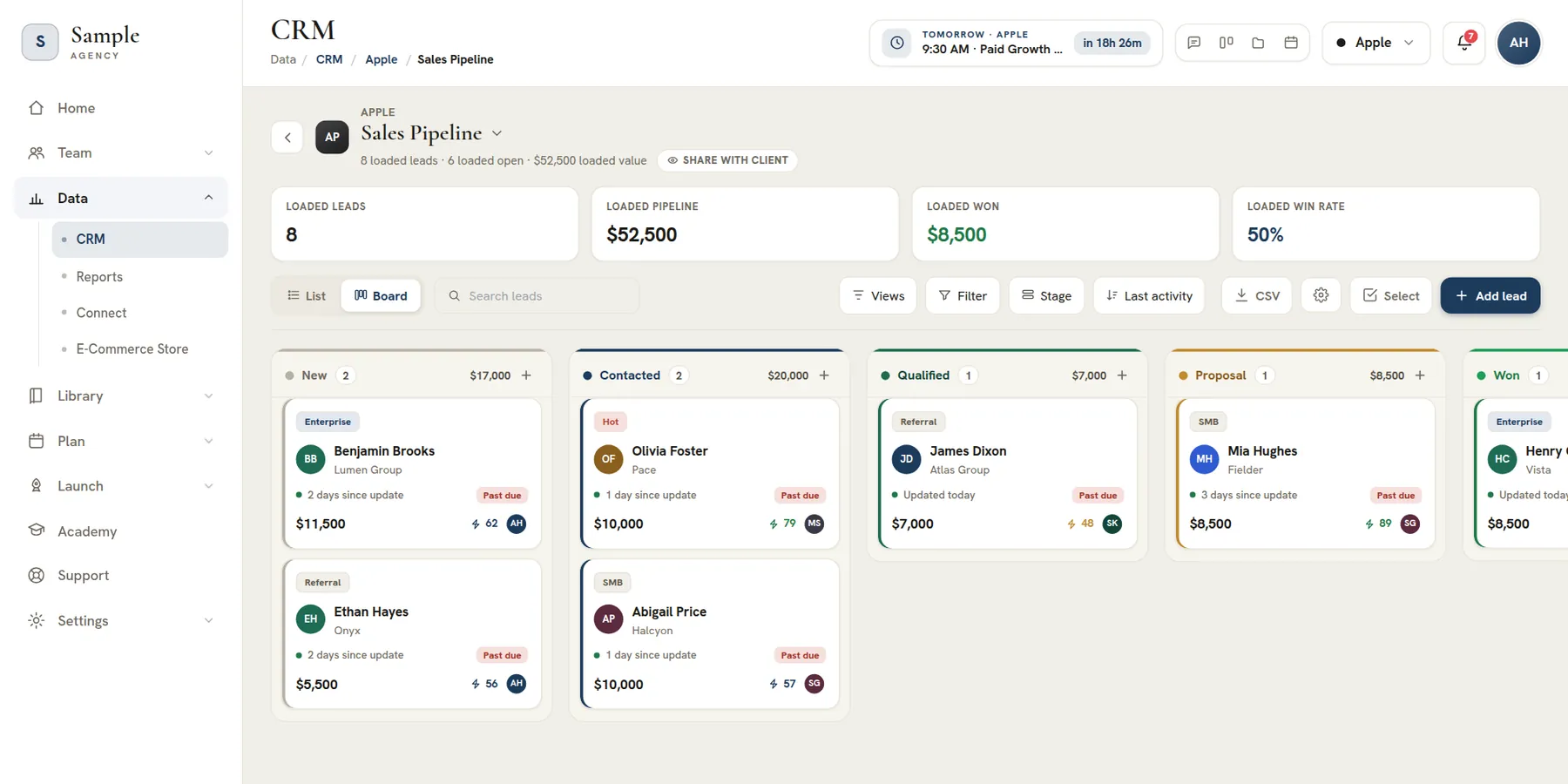
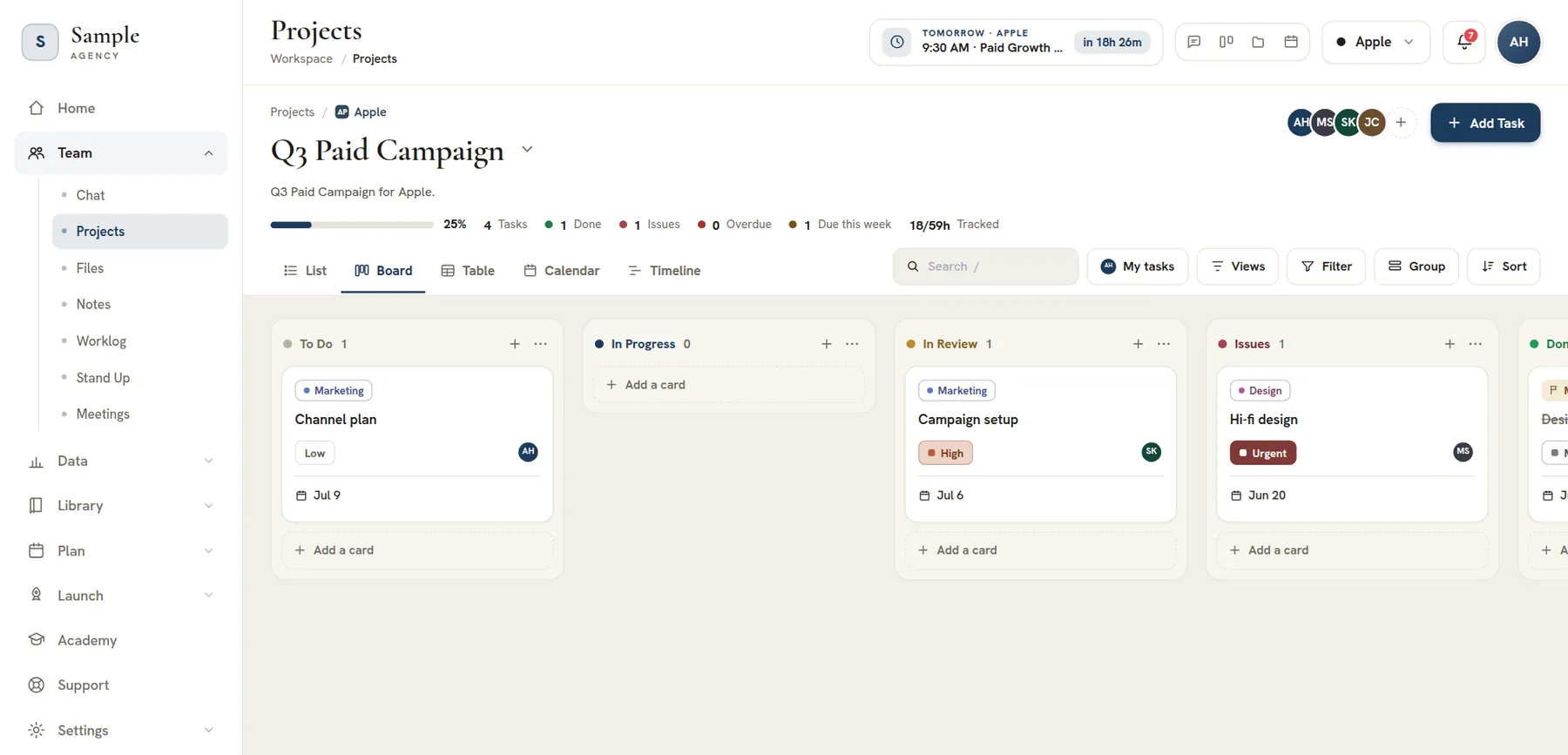
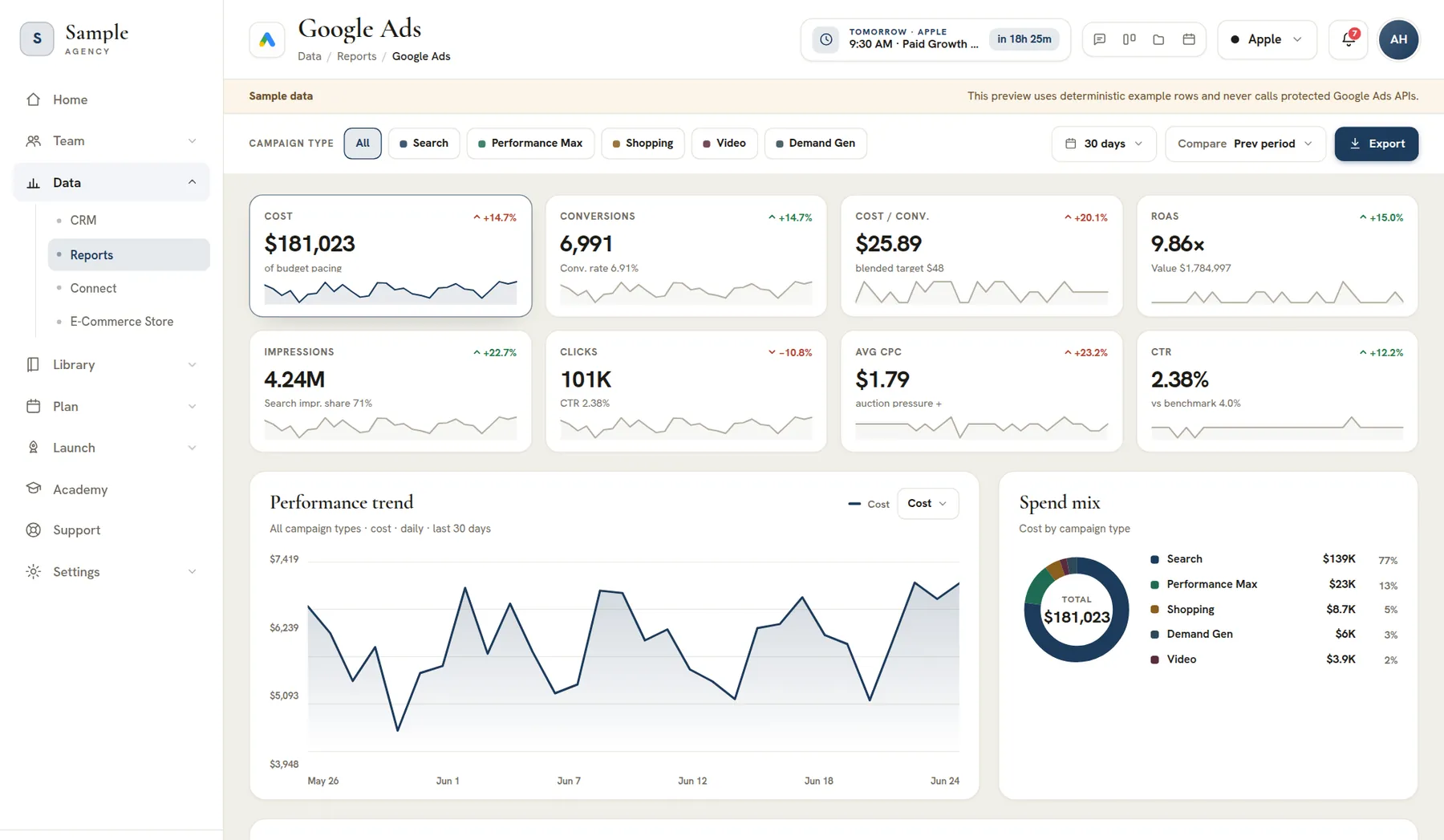
A single command center for everything the agency does
Search, jump back in, and pin the tools you live in
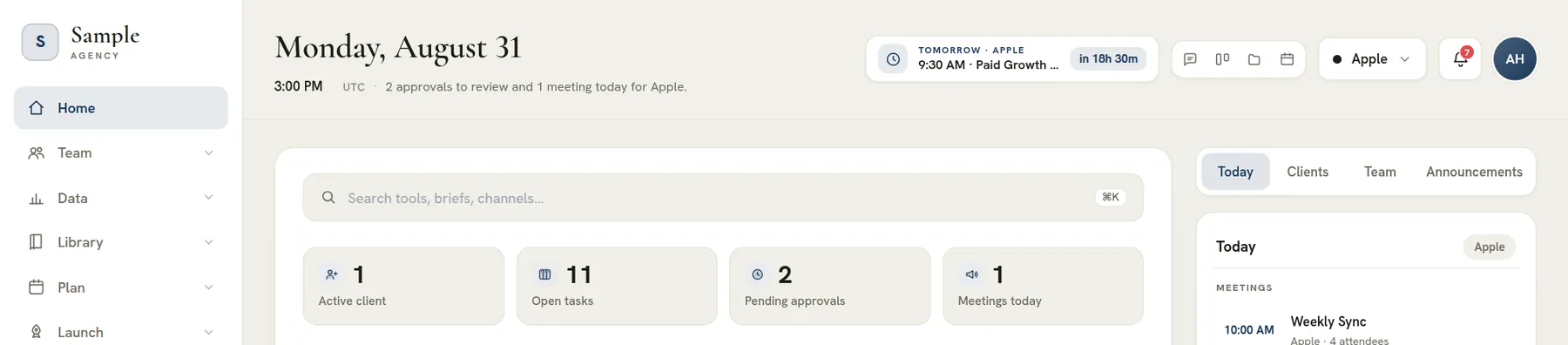
The home launcher opens on a calm, orienting view rather than a wall of widgets: today's date and a live local clock, a countdown to your next meeting, a line telling you what actually needs you today, a search box that filters every tool in the console (press the keyboard shortcut and start typing), and a 'jump back in' row that drops you straight back into what you were last working on. Nobody has to remember which app a task lives in — they type two letters and go.
Tools are organized into clear categories — workspace, clients and team, briefs and build, marketing, campaign plans, channels and ads, analytics and SEO — so a new hire can find their way around on day one, and a star overlay lets each person pin their most-used tools to the top. It is the difference between a launcher people tolerate and one they genuinely use as their starting point every morning.
Built multi-client from the ground up
Pick a client once and the whole console follows
Agencies do not manage one account, they manage a roster — and most software treats multiple clients as an afterthought. Here the active client is a first-class control at the top of the workspace: choose one and projects, files, chat, the CRM, the marketing library and the campaign planners all narrow to that account, or switch to an all-clients view to see the whole book of business at once.
That single piece of context means your team never has to re-filter twelve tools to focus on one client, and new accounts you add in the subaccounts manager appear instantly across the console. The structure does the scoping, so attention stays on the client in front of you instead of on bookkeeping.
Every tool an agency needs, actually connected
Delivery, marketing and data under one roof
The console spans the three things an agency juggles all day. There is the delivery side: projects and tasks, team chat beside your Slack and Microsoft Teams, a file manager with Google Drive, Dropbox and OneDrive tabs, notes, a worklog, and meetings with built-in video and calendar sync. There is the marketing side: positioning themes, a library of keywords, copy, creatives, blogs, landing pages, forms and emails, most of them with Ask AI drafting. Paid, social, email and SMS planners turn them into plans, and Launch takes approved plans into Google, Meta and email. And there is the data side: a multi-pipeline CRM and cross-channel reporting dashboards.
Because they share one workspace, the boundaries between them disappear: a campaign plan becomes a review task in projects, a CRM lead links into a chat message, a brand brief surfaces the client's files. Buying ten point solutions never gets you this — the value is in the connections, and the connections only exist when everything lives in the same place.
One workspace your whole team works inside
Strategists, designers, media buyers and account leads together
Everyone who touches an account works from the same console, so handoffs stop falling through the cracks. The account lead assigns work, the designer picks up a task, the media buyer builds the campaign plan and the strategist reviews the brief — all without exporting anything, copying links between apps or chasing status in a separate chat tool.
Roles and permissions decide who can see and do what, the team roster keeps contact and workload in view, and shared channels keep the conversation attached to the work it is about. Collaboration here is not a bolt-on feature — it is the default, because there is only one place to do the work.
The day's signals and approvals, surfaced not buried
Know what needs you before you go looking
The launcher leads with a live stat band — active clients, open tasks, pending approvals and meetings today — scoped to whichever client you have selected, so the state of the agency is legible at a glance instead of hidden inside six dashboards. A 'today' rail pulls the meetings on your calendar and the approvals waiting on you into one short list you can clear in a couple of minutes.
An announcements panel keeps the team aligned on what is changing, and a cross-tool activity feed and notification bell make sure a brief submitted for sign-off, a task moved into review or a worklog awaiting approval reaches the right person. The console is designed so the next action finds you, rather than the other way around.
A white-label, multi-tenant home for your brand
Your logo, your workspace, your clients isolated
The console is built as a true multi-tenant platform: each agency gets its own organization with its own workspace, its own clients and team, and hard isolation between tenants. One account's data never bleeds into another's. Upload your logo and set your company name, and the whole console wears your brand, from the sidebar lockup to the client portal.
Subscription tiers, team seats and managed-client limits are handled in one place, so scaling from a three-person studio to a full agency is a settings change, not a migration. It is the operational foundation an agency needs to run its own business while it runs its clients' marketing.
What is AI Marketing Dashboard?
AI Marketing Dashboard is an operations platform for marketing agencies: clients, delivery, campaign assets and reporting in one workspace, and on Scale and Enterprise a branded portal for every client.
It stands in for the stack most agencies assemble over the years: a project tracker, a CRM, a chat app, a file drive, a docs tool, a timesheet app and a reporting tool. Each becomes a tool inside one console, and the client switcher decides whose work they all show.
The tools also hand work to each other. A support ticket opens a task in the client's project, a plan sent for approval creates its own review task, and a meeting's action items land in a project of their own, so nothing is exported from one app and pasted into the next.
Who it is for
A studio can start on Studio with 3 client accounts and 3 team seats. Agency allows 15 accounts and 10 seats, Scale 50 and 25, and Enterprise has no cap on either.
Why it is called a dashboard
The name comes from the console: every client has a reporting hub with a dashboard for each channel. In the reporting hub, Search Console, Google Analytics, Bing Webmaster, Google Ads, Microsoft Advertising, LinkedIn Ads and Meta Ads connect to a client's own accounts on the Agency plan and up, as do the Facebook Page, Instagram, LinkedIn Page and Business Profile reports, and the site audit runs on every plan.
The AI part is practical: it drafts themes, keywords, copy and ad creatives from a client's Profile, research and brand guide, and nothing it drafts is sent or launched until a person chooses to.
What it is not
It is not an ad network, and it does not buy media for you. It plans the campaign, builds and approves the assets behind it, launches it (ad campaigns are created paused so you review spend first) and reports on the results. A client sees an asset only after your team approves and shares it.
Agency dashboard: one view of every client, task and result
An agency dashboard has to answer one question fast: where does each client stand? The client switcher at the top of the console narrows every tool to a single client, and All clients widens it to the whole book, so a task, a lead and a report are never more than a click apart.
Home's stat band counts active clients, open tasks, pending approvals and today's meetings for the client you choose, and the approvals rail lists what is waiting on you. Each client account holds its team, files and invoices, its projects hold the work, and its reporting hub holds the results.
What changes for agency owners, account teams and clients
Agency owners
Know where every client stands
Open the console and the counts of active clients, pending approvals and today's meetings are already in view. Roles decide who sees which client, and your brand carries across the product.
- Switch between one client and the whole roster in the header
- Approve plans, Library assets and time off from one inbox
- Billing, invitations and HR records stay with admins
Your team
Find the work, then do it
A teammate starts from the clients they are assigned to. The task, the file, the thread and the brief sit under the same client, so a handoff is a link rather than a search.
- Five task views, so each person works the way they prefer
- Meetings with a built-in video room, agendas and action items
- Time and daily check-ins recorded where the work happens
Your clients
See progress without chasing it
On the Scale and Enterprise plans, each client signs in to a portal in their own brand and sees only what you have shared. They review tasks and Library assets, leave comments on the work itself and write to their account team. Lessons you assign appear there too, through the client Academy.
- Tasks, files, notes, shared pipelines and Library reviews
- A support desk with one thread per request
- Up to 20 portal people per client, outside your seat count
A day in an agency that runs on one workspace
One ordinary day when the tools share a workspace, with the tool named at each step.
9:00, see what needs you
Glance at the counts on Home, then at the activity feed of mentions and replies waiting for you across every tool.
10:00, move the client's work forward
Open Projects for the client you are on: tasks with owners, due dates, subtasks and @mentions, in the view each person likes.
11:30, take the call
Meet in the built-in video room. On the Agency plan and up, record it for a transcript and an AI recap, then send the action items to a project.
1:00, answer a lead
A form or a booking page files its lead into the CRM with its source and any appointment. Give it an owner, reply by email and set a follow-up.
2:30, build the client's assets
Draft copy, keywords and creatives for a theme in the Library, with Ask AI grounded in the client's Profile, research and brand guide. The copy library is a good place to begin.
4:00, plan and send for approval
Turn assets into a plan in the paid media planner and submit it to a reviewer; an edit after approval asks again. Once approved, the plan launches paused for your review. Paid and social planners need the Agency plan; email and SMS planners are on every plan.
Replacing your tool stack, one category at a time
Few agencies switch everything in a weekend. This map shows which part of the console takes over each category of tool.
| Tool you use today | Where it lives here | What to expect |
|---|---|---|
| A project tracker | Projects | Tasks, subtasks, templates and custom statuses under each client, in five views. |
| A sales CRM | CRM | A pipeline set per client plus your own, with lead email and CSV import and export. |
| A team chat app | Chat | Channels, groups, direct messages and channels shared with a client's portal, with your own Slack and Microsoft Teams beside them. |
| A shared file drive | Files | Three drives per client: personal, internal to the agency and shared, with Google Drive, Dropbox and OneDrive tabs for each member. |
| A docs or wiki tool | Notes | Block pages per client, linked to tasks, files and people. |
| A timesheet app | Worklog | Entries tied to a task, an approver queue and reports by client or teammate. |
| A reporting tool | Reports | Connected dashboards for Search Console, Google Analytics, Bing Webmaster, Google Ads, Microsoft Advertising, LinkedIn Ads and Meta Ads, plus Facebook Page, Instagram, LinkedIn Page and Business Profile reports, on Agency and up, and a site audit on every plan. |
| Folders of campaign assets | Library | Copy, keywords, creatives, themes, forms, emails, pages and booking scripts, each with approval, plus blogs for long-form posts. |
| Contract and invoice tools | Subaccounts | Contracts signed in the console, then invoices with reminders. |
| Training videos and SOPs | Academy | Built-in guides, courses you write and lessons shared to portals. |
A sensible order: clients and open projects first, then leads from a CSV file, then files and notes, and reports last, once the platform accounts exist. Keep the old tool read-only until a client's open work has finished, then retire it.
How the platform pays for itself
Divide a plan's price by what an hour of your team's time costs and you have the hours the workspace must give back each month. The rest is your own estimate.
Take a blended cost of $50 an hour as a placeholder. At that cost Studio at $99 a month is covered by 2.0 hours of team time, Agency at $299 by 6.0 hours and Scale at $699 by 14.0 hours. Spread across every seat on the plan, that is 8 to 9 minutes per person each week.
| Plan | Team seats | Client accounts | Price a month | Team hours that cover it | Per person a week |
|---|---|---|---|---|---|
| Studio | 3 | 3 | $99 | 2.0 hours | 9 minutes |
| Agency | 10 | 15 | $299 | 6.0 hours | 8 minutes |
| Scale | 25 | 50 | $699 | 14.0 hours | 8 minutes |
| Enterprise | Unlimited | Unlimited | Quoted | Set by the quote | Not applicable |
Note
Replace the placeholders with your own numbers
The $50 hourly cost is an assumption. The table is arithmetic on list prices, not a measured result. Billing annually charges 10 of every twelve months, which lowers each break-even by about 17 percent.
Where the hours usually hide
Count the hours that go to status questions in chat, hunts for the latest file, onboarding checklists rebuilt for each new client and reports assembled by hand. If one client's week adds up to more than the break-even above, the workspace pays for itself on your own numbers. If it does not, it will not.
Security, isolation and your brand
Each agency is its own tenant, access follows roles that you set, and a client sees only what you share.
One agency, one isolated workspace
Every agency is its own workspace, and every record carries it. Database row-level security limits each signed-in session to its organization's workspace, so one agency's data never appears in another's console.
Roles that decide who sees what
Permissions are read from records in the database, not trusted from the browser. There are four roles: agency admin, agency team, client admin and client team. A team member sees only the clients they are assigned to. Billing, invitations, roles and HR records stay with admins, and direct messages are readable only by their participants, administrators included.
What a portal user can and cannot see
A portal account is separate from your team: it uses no seat and cannot open the agency side of the console. It shows only what you have shared, so a hidden section is absent rather than disabled. Internal notes on support tickets never reach the portal.
Your brand, sign-in and secrets
Set your logo, company name, colours, fonts and sidebar style once in Settings and the console wears them; each client portal takes its own. On Scale and Enterprise, client pages and forms can publish on the client's own domain. Payroll numbers and payment keys are write-only, and two-factor sign-in sits in Settings under Security.
Your first week: set up the workspace, the team and the first client
Create the workspace
Sign up and create your organization. The setup wizard asks for your agency name, logo and accent colour, and lets you finish later.
Add your first client
Create the client in a short dialog. Their files drive arrives with folders, and an Agency Admin can start research that drafts a brand kit.
Invite the team
Invite teammates from Team Members, then assign each person to their clients. New members start with no client access.
Start the first project
Create a project from a template, add the tasks and give each an owner and a date.
Bring in your leads
Import a CSV file into a pipeline and preview the mapped columns before anything is created.
Connect the first report
On the Agency plan and up, an Agency Admin links an ad or Search Console account to the client and chooses the dates to sync.
Invite the client
On Scale and Enterprise, appoint the client's first admin, who invites their own team from the portal.
Plan
Which plan includes what
All plans share the core tools: projects, CRM, chat, files, meetings, the Library and Ask AI. Agency and up add connected reporting, the builders, meeting transcripts and the Paid and Social planners. Scale and Enterprise add the client portal and custom domains; API keys are Enterprise only.
Create your agency workspace and the setup wizard takes you through the brand, the team and the first client.
Frequently asked questions
What is an AI marketing dashboard?
An AI marketing dashboard is one place where an agency's clients, campaigns and results sit together, with AI that drafts the work around the numbers. Here the report figures are never written by AI. The Library drafts keyword ideas, ad copy, creatives and blog posts for a person to review, and on the Agency plan and up it also drafts landing pages and emails and writes a recap of each recorded meeting.
What should an agency look for in an AI marketing dashboard?
Look for five things: every client kept apart, a branded portal clients can sign in to, reports for the channels you buy, AI that drafts while a person approves, and seats and prices stated openly. AI Marketing Dashboard scopes every tool to one client, offers a client portal on Scale and Enterprise, reports on Google, Meta, LinkedIn and Microsoft ads, holds every AI draft for approval and lists each plan's price and limits.
Is AI Marketing Dashboard a CRM or a project management tool?
It is both, inside one workspace. The CRM keeps a pipeline set for each client plus one for your own agency, and Projects manages delivery in five task views. Chat, files, notes, meetings, the Library, planners and reporting sit beside them, so a lead, a task and a report for one client are a click apart.
Can our clients log in to AI Marketing Dashboard?
Yes, on the Scale and Enterprise plans. Each client gets a portal in their own brand with room for up to 20 people, none of whom use your team seats. They see only what you share, including tasks, files, notes, shared pipelines, Library assets awaiting review, lessons and a support desk. An Agency Admin appoints the first client admin.
Which platforms and tools does AI Marketing Dashboard connect to?
On the Agency plan and up, Search Console, Google Analytics, Bing Webmaster, Google Ads, Microsoft Advertising, LinkedIn Ads and Meta Ads connect to a client's own accounts, as do the Facebook Page, Instagram, LinkedIn Page and Business Profile reports. A site audit runs through Google PageSpeed Insights on every plan. Team members can also connect their own Slack, Microsoft Teams, Google Drive, Dropbox, OneDrive and Google or Outlook calendar.
How is AI Marketing Dashboard priced?
Plans are priced per workspace each month in US dollars, excluding tax: Studio at $99, Agency at $299 and Scale at $699, with growing limits on client accounts and team seats. Enterprise is quoted and has no caps. Billing annually charges 10 of every twelve months.
Can we use our own brand and logo in AI Marketing Dashboard?
Yes. Settings holds your logo, company name, colours, fonts and sidebar style, and the console wears them for your team. Each client portal can wear that client's own logo and colours, falling back to yours, so once clients sign in the portal can look like their business. On Scale and Enterprise, client landing pages and forms can also publish on the client's own domain.
What does the AI in AI Marketing Dashboard do, and what does it not do?
AI drafts and summarizes: themes, keyword lists, copy, ad creatives, campaign sets and client research on every plan, plus emails, landing pages and meeting recaps on the Agency plan and up. A client sees an asset only after your team approves and shares it, nothing publishes or launches by itself, and keyword lists carry no invented search volume.
How many people can use one workspace?
Team seats follow the plan: 3 on Studio, 10 on Agency, 25 on Scale and no cap on Enterprise. Each client portal holds up to 20 more people, and those accounts never use a seat. A pending team invitation holds a seat for 30 days, then expires.
How do we bring existing clients, leads and files into the workspace?
Leads import from a CSV file in the CRM: you map the columns, preview the result and then import. Clients are added through a short dialog, files upload into each client's drive with Google Drive, Dropbox and OneDrive tabs beside it, and projects can start from a template. Bring the clients with open work across first, then the rest as each one finishes.